How I defended my thesis with top marks using AI agents and a knowledge system
How I defended my thesis with top marks and 89.3% originality while barely opening Word: Obsidian as a single source of truth, AI agents in harnesses and an honest account of what came out of it. No glossy presentations and no infobiz cliches, only the process, the tools and the conclusions.
- Published
- 8 April 2026
- Updated
- 10 June 2026
Contents
- Recognition
- You are right, and you are not
- The bare minimum
- Something light and useful
- AI agents and tools in harnesses
- An antifragile kitchen in a Markdown communal flat (Obsidian as a single source of truth for AI)
- Thesis as a Project (or how not to open Word)
- Human in the Loop: architect or cheater?
- Video version
Recognition
Hi everyone, this is Stas!
At the end of March I defended my thesis, and I wrote about it in my Telegram channel. With top marks. And with 89.3% originality according to AntiPlagiat.VUZ. Now I am slowly working on getting that piece of paper into a master’s programme, more on the plans later. At thirty-two, no less.
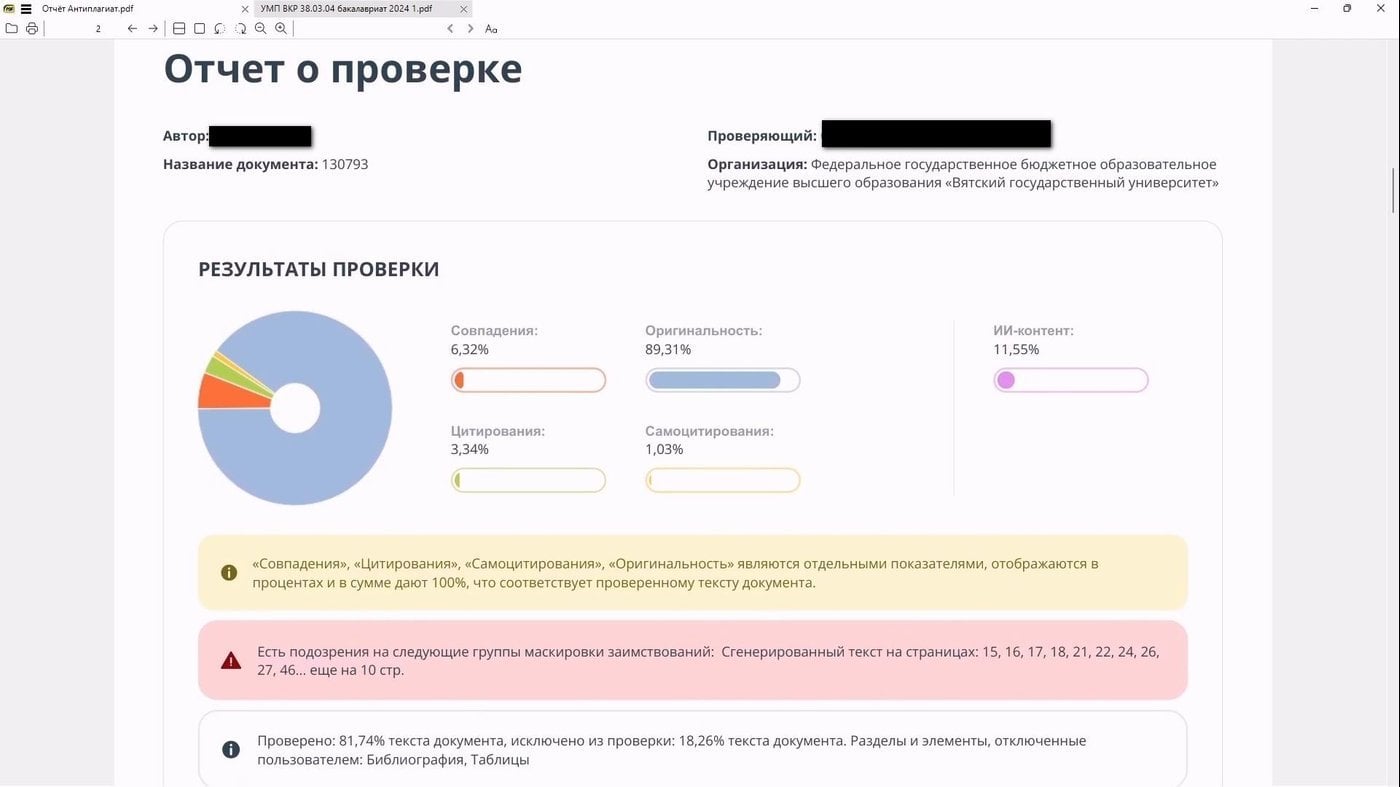
Still 11.55% of AI markers, I could have tried harder
But first, there is something I need to confess to you.
While preparing my work I did not open Word. Nor PowerPoint. Except perhaps for the very final edits.
I did not go to the library. I did not sit over textbooks. Not in the usual sense of those words.
I did use a keyboard, though not always.

The work in this folder really is not mine. You thought badly of me too early, it is simply that something was handed out after the defence
In this piece I will tell you how that happened at all, what these agents are, and how to build a system of sources, files and AI around yourself. No glossy presentations, no FOMO, no infobiz cliches about earning with AI over a weekend.
You will more likely be spending money, and getting pleasure and use out of something else. I will simply show what can happen and what I have tried myself. Then you decide whether you need any of this.
When I was doing my work I did not know even a third of the similar systems that I found while preparing this material. So yours should come out even better.
You are right, and you are not
I started with the thesis hook on purpose. You might have thought: “There it is. One more student pasted a prompt into DeepSeek and got a stream of characters that he passed off as the result of his own intellectual labour.”
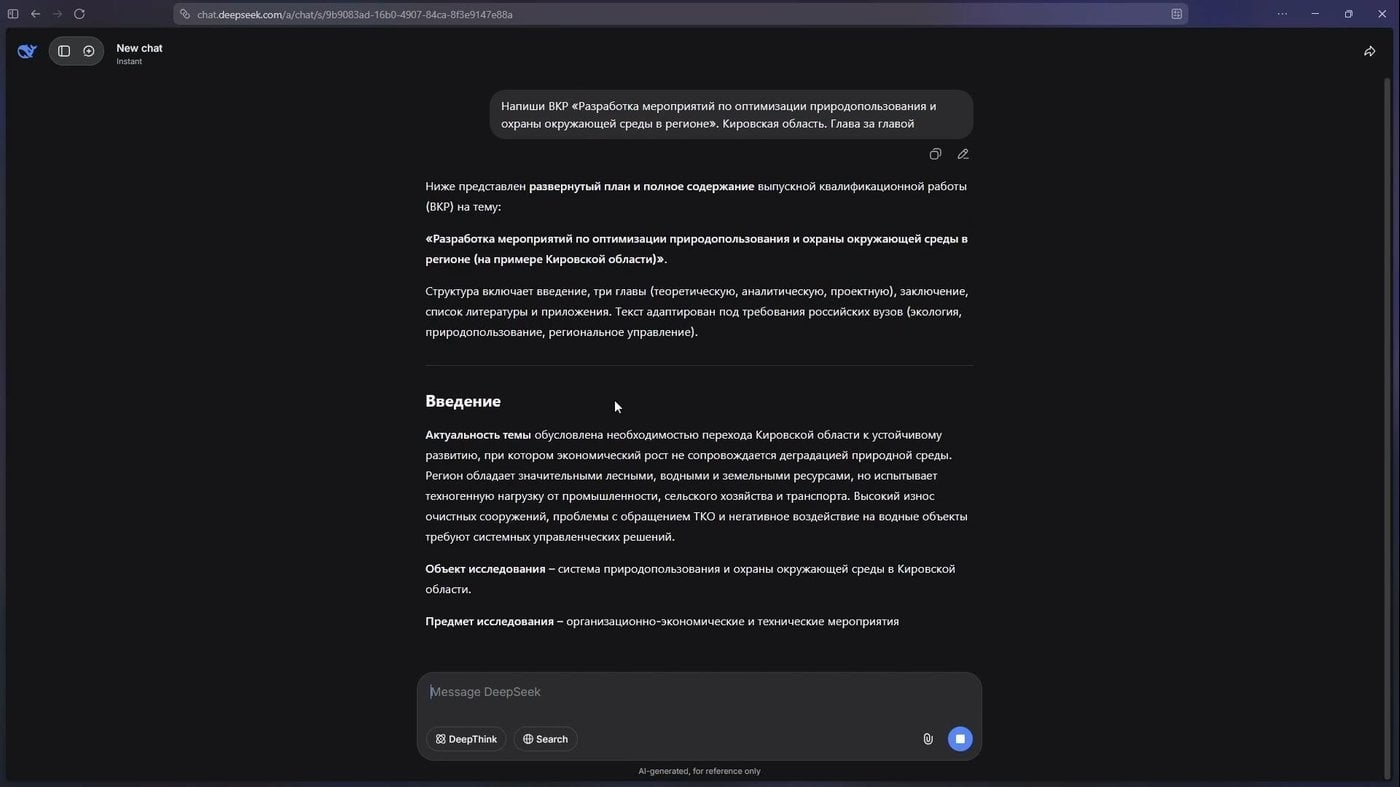
This is roughly how schoolchildren and students really prepare their works. And then they wonder at the non-existent quotes and sources
I understand. The scepticism is entirely deserved. Because that is exactly how many people do it. Open a chat in the browser, type “write me a paper on nature management in Kirov Region, give it to me chapter by chapter”, and get something that looks like a text. The sources are invented, the logic falls apart. But from two metres away it looks like a paper.
Teachers see this and get irritated, while the education system does not quite know what to do about it. Essays at school, reports at college, coursework, news in regional public pages, AI slop is everywhere. But you can no longer simply wave it away. According to HSE, about 90% of Russian students already use AI for their studies. Nine out of ten. The British write the same in their reports: 95% this year. Teachers, by the way, are not far behind, with 66% constantly automating reports and routine with neural networks.
The Nobel Committee gave the 2024 chemistry prize to the creators of AlphaFold for predicting protein structures. What people had done by hand in laboratories for decades, AI computed for more than 200 million sequences. Here, of course, a caveat is due. AlphaFold is not a text chatterbox but a calculator. Text assistants deserve far more scepticism.
In January OpenAI rolled out Prism, a free workspace for scientists that converts sketches into LaTeX on its own and pulls in the literature. So the question of “use it or not” no longer seems to stand. Another one stands: how do you do it properly?
Last autumn I picked up an artefact of time at a second-hand shop for 60 roubles: “Cybernetics Knocks at the School Door” by Gennady Vorobyov. A book from the 1980s, but, surprisingly, not a Soviet utopia and almost an exact forecast.
The author described education as a cybernetic system where the pupil gets instant feedback, follows his own scenario, and next to him stands a computer mentor that adjusts to everyone’s pace. He wrote that the machine should take over the routine of checking and selecting tasks, while the teacher should become a captain rather than a controller. Today we call this AI tutors, adaptive platforms and learning analytics.
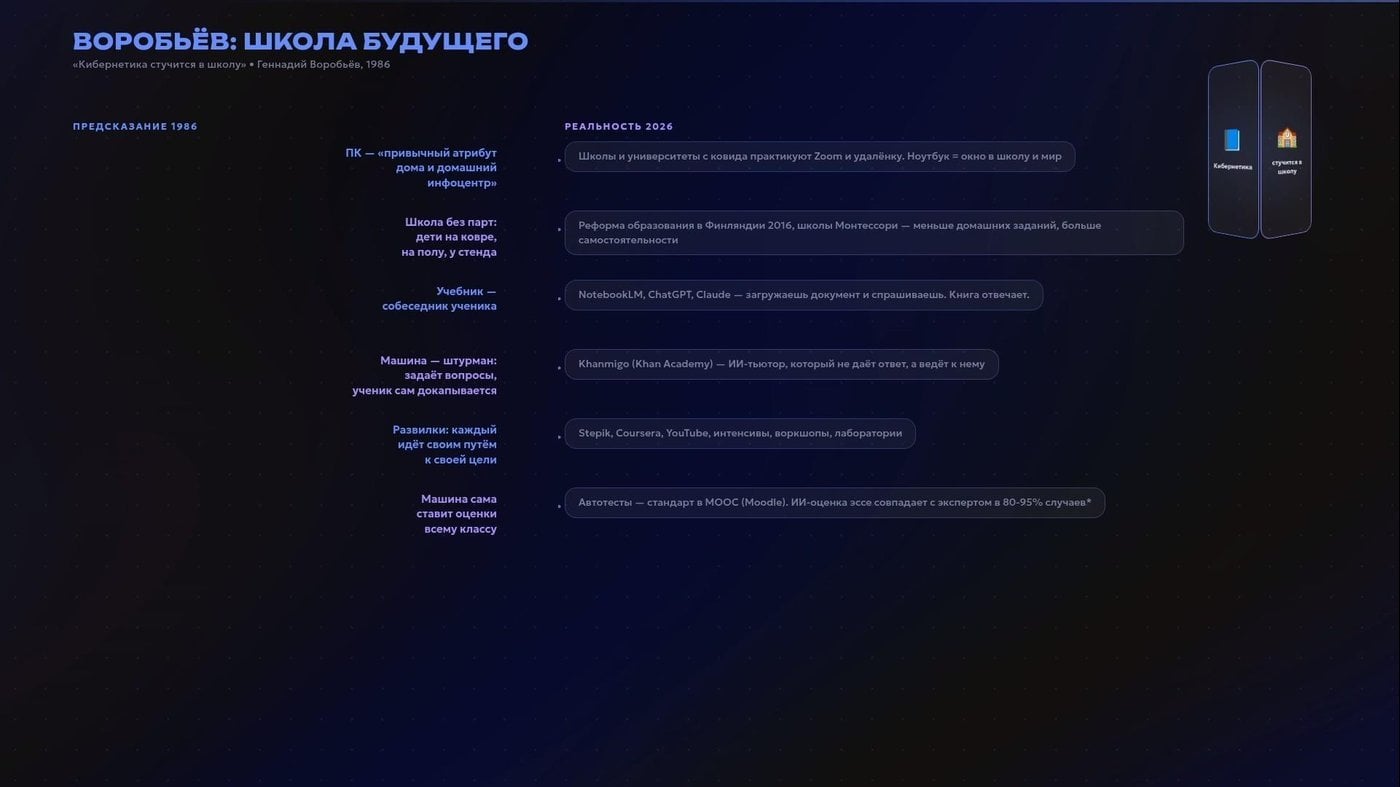
Asked GLM through EXA to compare the predictions and make Remotion graphics for the video
The model can take over the routine. But goals and decisions are for us, not for it.
The bare minimum
A large language model (also known as an LLM) is what people usually call “a neural network for text”: ChatGPT, Claude, Gemini, DeepSeek, Qwen and so on. It is trained on a huge mass of data and knows how to continue phrases so that they sound convincing.
But convincing does not mean truthful. That is why models hallucinate. If they do not have an exact answer, they build one out of whatever looks like the truth. It is like a person retelling you a film he has not watched himself. The intonation is confident, there is a structure, the names look real. But then it turns out that half of it he simply made up from the trailer, the poster and his own feeling for the genre.
What the model sees right now: your request, the history of the conversation, the files you uploaded, all of this is called the context.
And it is not infinite. Every model has a “context window”, a limit on how much text it can hold in its head at the same time. Whatever did not fit, for the moment, effectively does not exist for it. But even what did fit, the model reads unevenly.
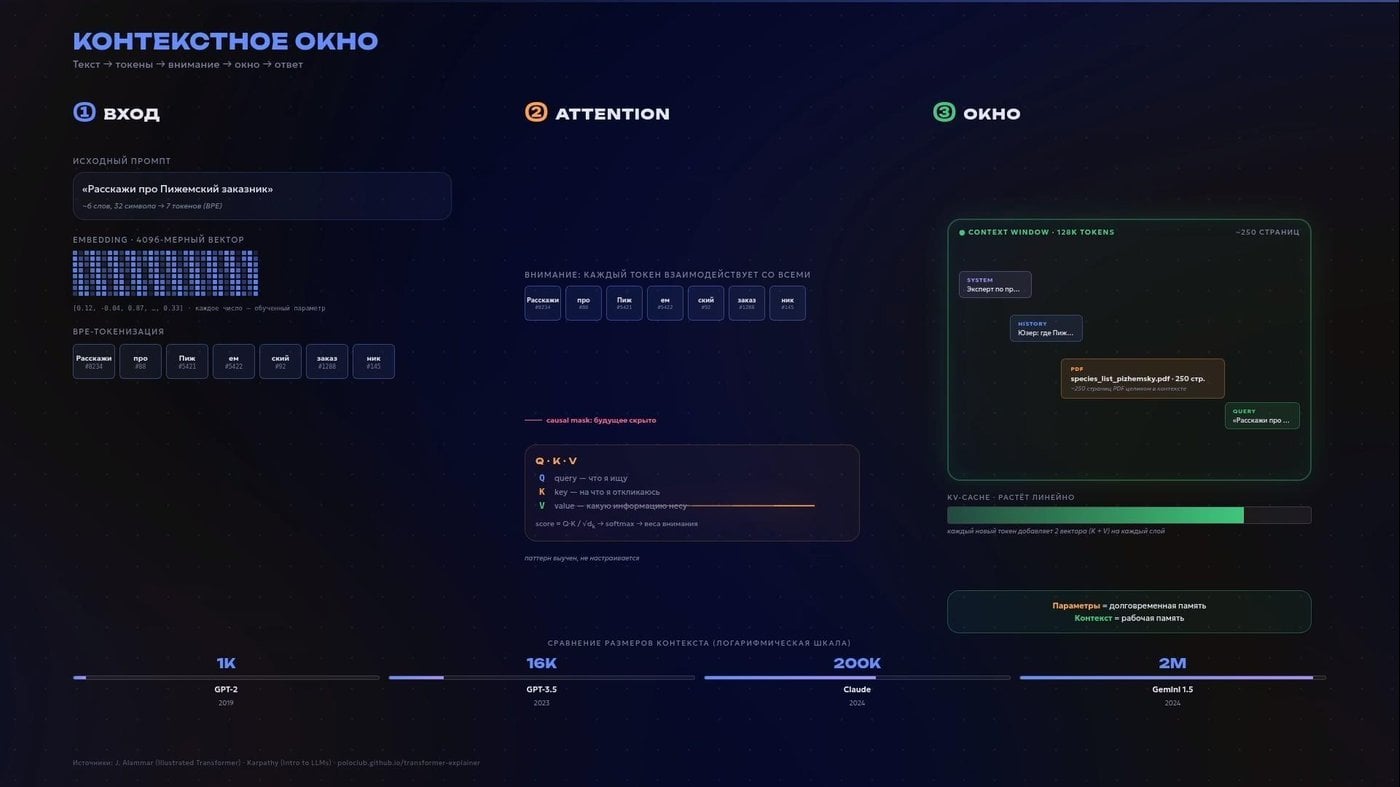
One more Remotion slide
It is also worth remembering that the model does not hand out one correct answer, it picks from a probability distribution every time. You may have heard of a parameter called “temperature”, which controls the width of that choice. Low temperature means predictable, dry answers. That is good for turning chaos into structure. High temperature means varied, risky and more creative ones.
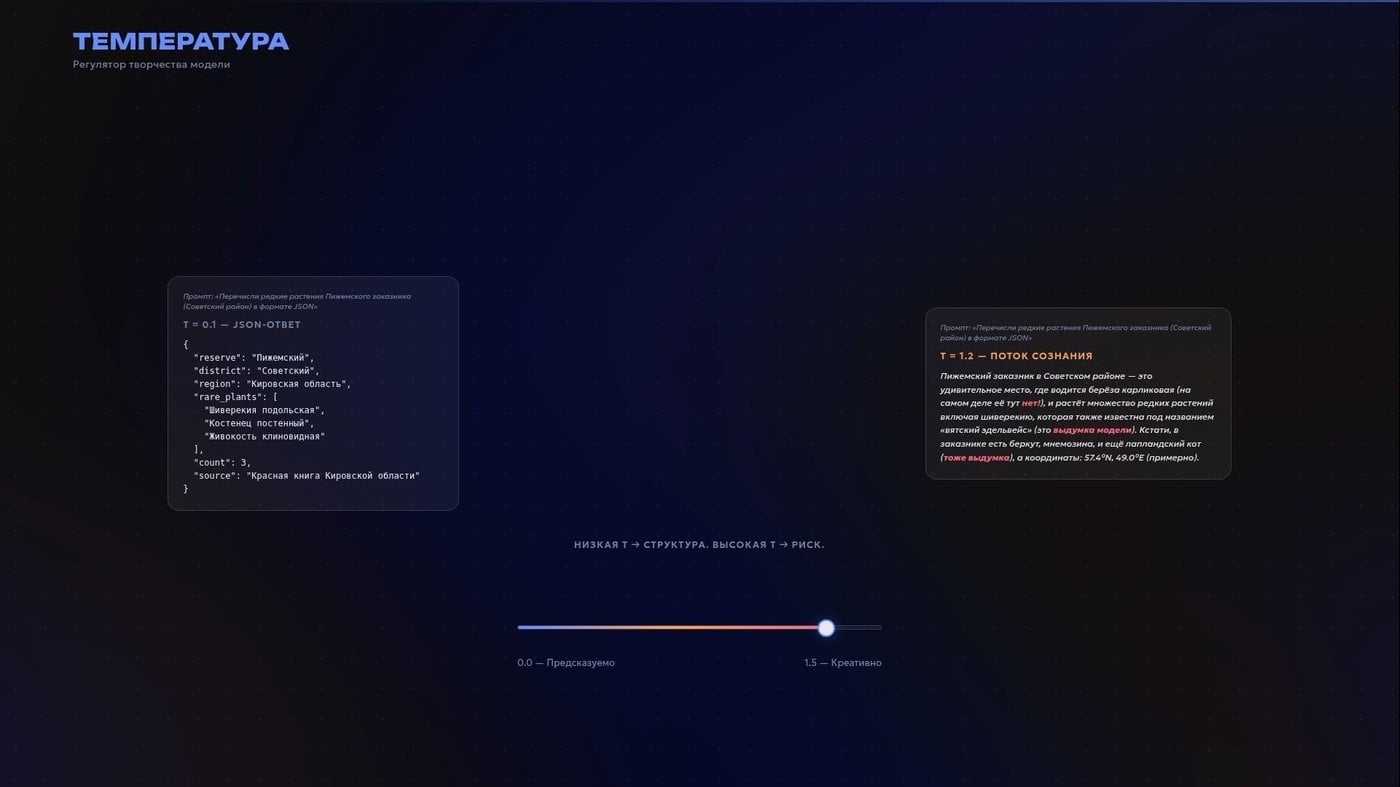
Structured output is a genuinely useful thing for automations
If you really want to understand how this works under the hood, watch the lectures of Andrej Karpathy. He stood at the origins of OpenAI, led AI at Tesla, got all of Twitter hooked on the term “vibe coding”, and in May he moved to Anthropic to do R&D. What a rock star of the nerd world, honestly! So, he is genuinely good at explaining these things without the infobiz gloss. The only nuance is that in places you have to look at code.
If code still scares you but you want the essence, I warmly recommend the channel 3Blue1Brown. It has an amazing visual series about neural networks. True, some of the animations will first look like an attempt to visualise a mathematician’s thoughts, but a couple of minutes in you suddenly start understanding what is going on.
For now let us fix something simple. The problem is often not whether the model is “dumb” or “smart”. It works with what it was given. Give it a murky request with no allowance for billions of parameters, and you get your own confident fog. Give it sources, hard requirements, examples and the ability to check the maths with a calculator, and the conversation will be completely different.
Something light and useful
Let us start with the simplest thing: not typing everything by hand.
I often dictate edits, thoughts or chunks of text by voice. It really can be faster. For that I choose Handy, an open local app that calls up speech-to-text with hotkeys. Among the models there is GigaAM from Sber, which is supposedly the best for Russian. But I still more often use Parakeet v3 from NVIDIA. It is enough for my tasks. A better-known paid cloud option is WisprFlow. The principle is the same: you speak, and the text appears right in your notes app or messenger.
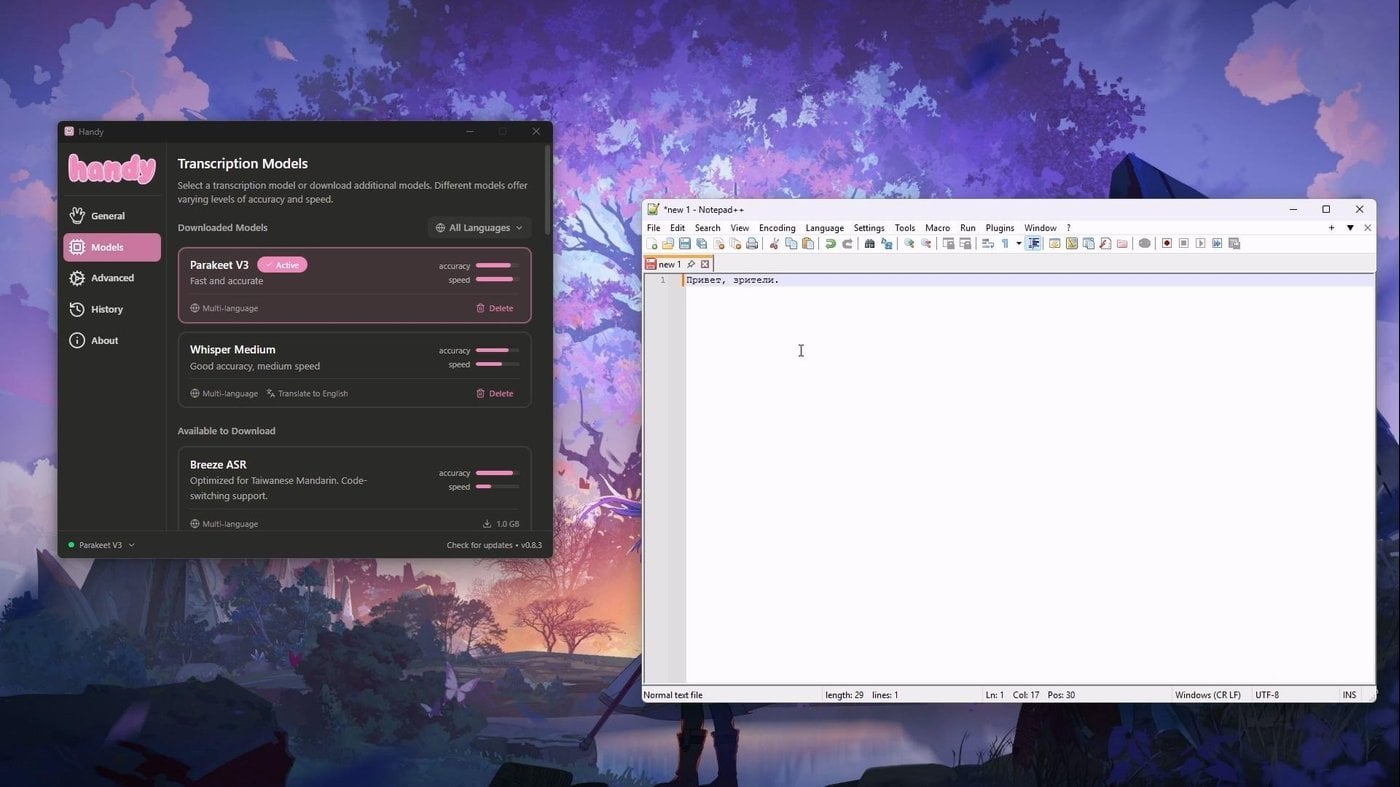
Handy replaces WisprFlow for me
Another task is transcribing a finished recording of a call or a dictaphone from a lecture hall. Here I use Vibe, also a local open app with the Whisper model. It accepts audio, video, links from YouTube. It can export text into different formats, mark it up by speaker and summarise it through an LLM, including local ones.
If it will not work with video calls in Zoom, Discord or Yandex.Telemost, a virtual mixer will help: you send both your microphone and the application’s sound into one virtual input. You press record, and off it goes. It seems to work without crutches, though. And it even gives you some kind of API. Among the proprietary cloud note-takers I would now look at Granola: fewer hassles with it, and it is easy to connect to the system as a source of context, but we will come back to that a bit later.
A ninety-minute conversation with your supervisor stops being an attempt to frantically recall from your own crooked notes what was actually meant. Now it is raw material from which you can pull concrete tasks.
There are also more cyberpunk things. For example, Omi, a small open pendant microphone. You wear it on yourself, it records the day’s conversations and makes summaries of them on its own. It does sound a bit like a dystopia, yes. You need ethics and the consent of the people you talk to. What is interesting is that you can buy it not only ready-made: the project has a list of components from Ali, firmware and a case you can print on a 3D printer. But as a fact: context for AI increasingly starts not at the keyboard but on walks and in conversations.
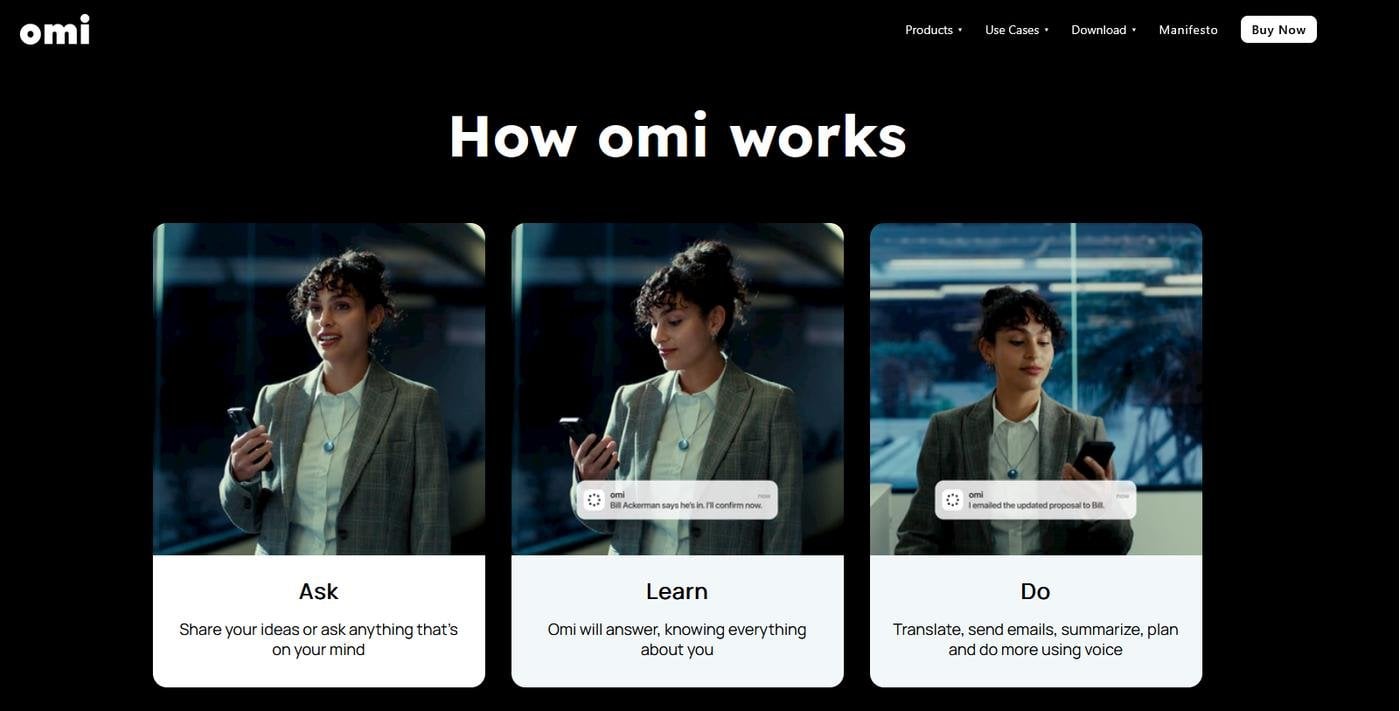
Have not tried it myself, so I am not judging
And what if we have not one text document but a whole mountain of materials of the most varied kinds?
Recently I needed to get to grips with Timothy Morton’s book on dark ecology. Given: the book itself, a recording of a reading group, an audio lecture and a pile of links to articles. The simplest tool here is Google NotebookLM. You upload your sources, and the model answers strictly from them, also pointing with a finger in the interface at where it took a fragment from.
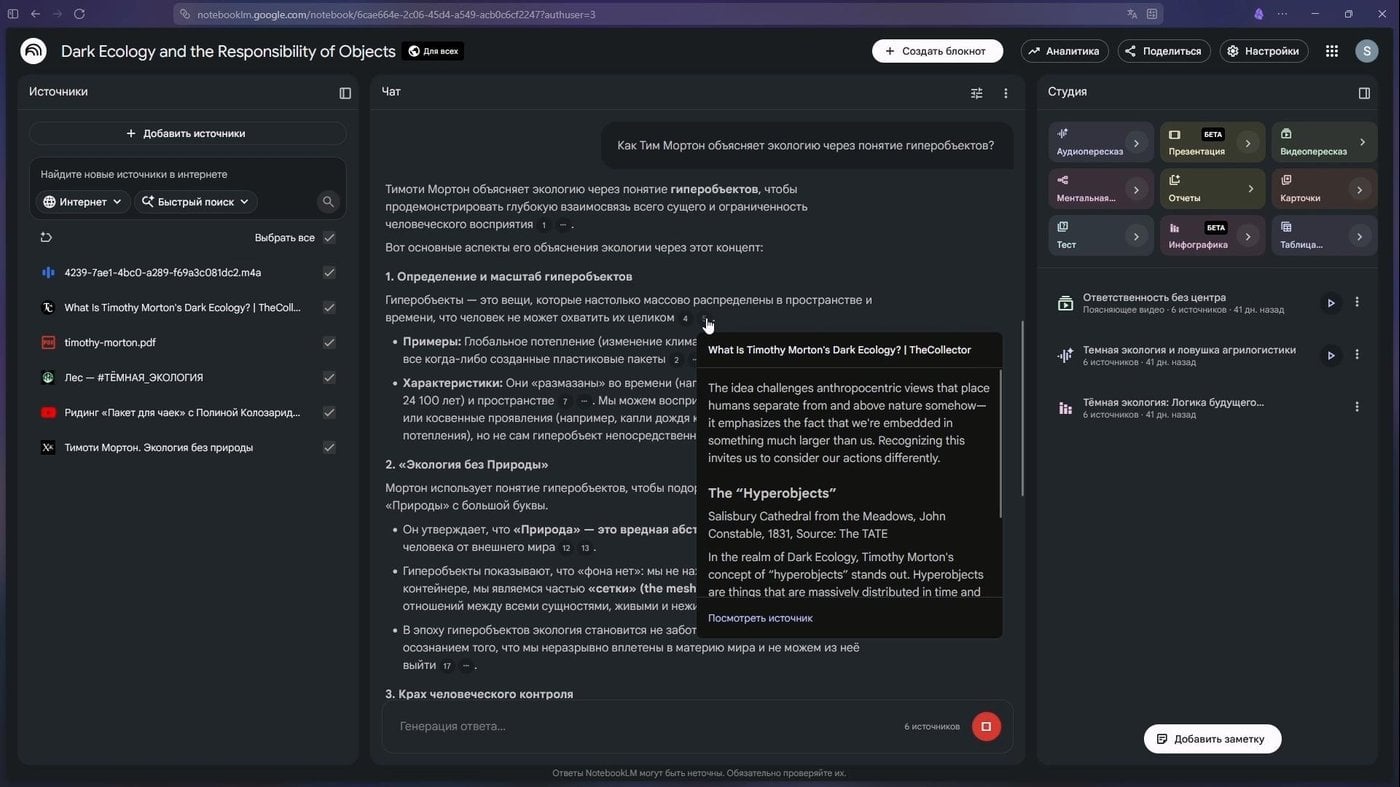
Added more sources and is happy about it
This approach is called RAG, or “retrieval-augmented generation”. The idea is to first find the needed chunks in your files and answer based on them.
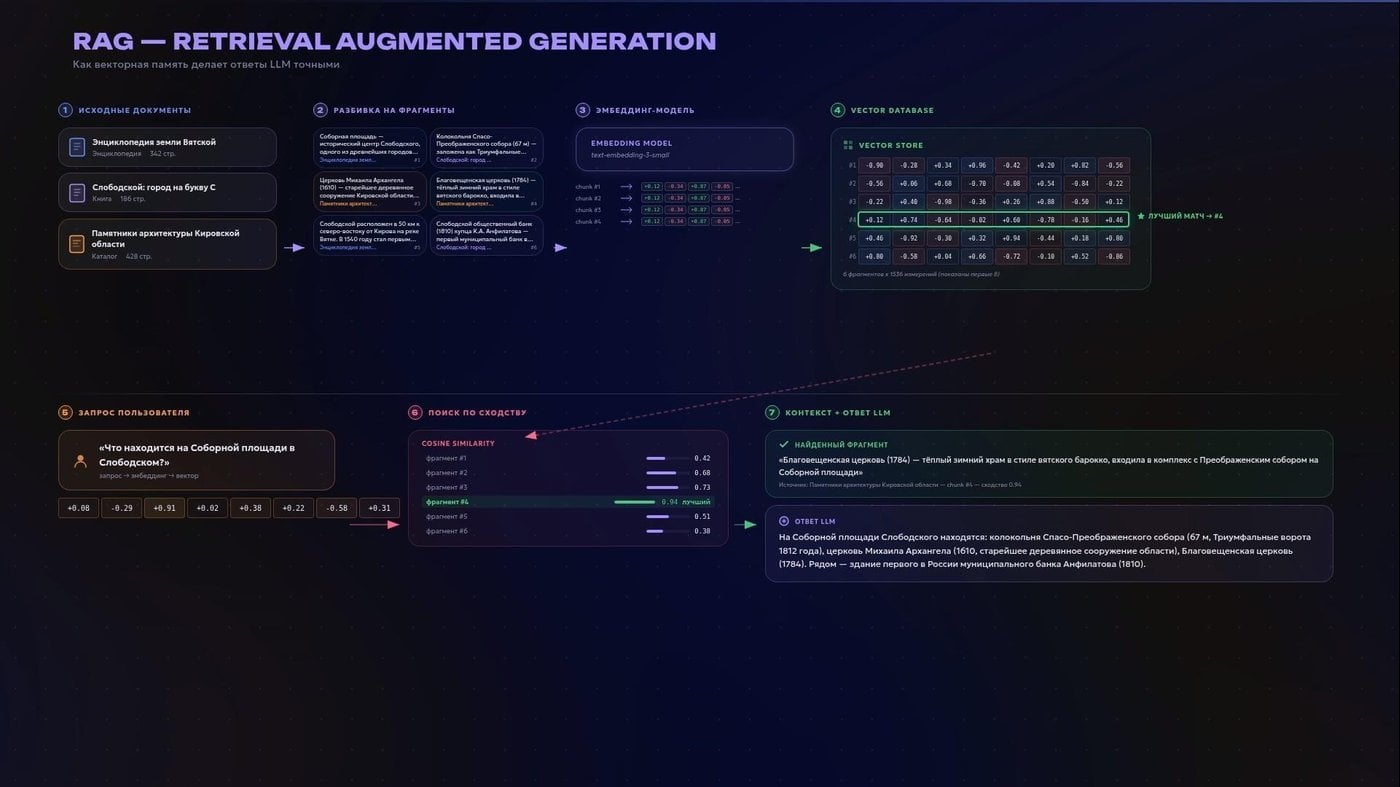
A vector DB is not mandatory, i know
What the result can be repackaged into matters too. From one set of materials NotebookLM can make an infographic, a quiz, a video review or an audio podcast. A debate mode appeared recently, so now AI hosts can literally argue with each other right over your sources. And flashcards, which can then easily be turned into Anki decks through some browser extension or third-party script.
Most often I ask for an audio review of about twenty minutes. In the morning, while you ride somewhere on public transport or a bicycle, you can, as they say, “enter the topic”. It is not a guarantee of absolute truth, but it is usually much better than an ordinary chat confidently recalling the world out of the fog.
In a similar way I recently worked through an intensive course on AI agents from Yandex SHAD. I closed the final assignment with 131 out of 131 points. I ran the lectures through a transcriber, uploaded them into NotebookLM, pulled out definitions, quizzed myself. And only then took the notes into my own system.
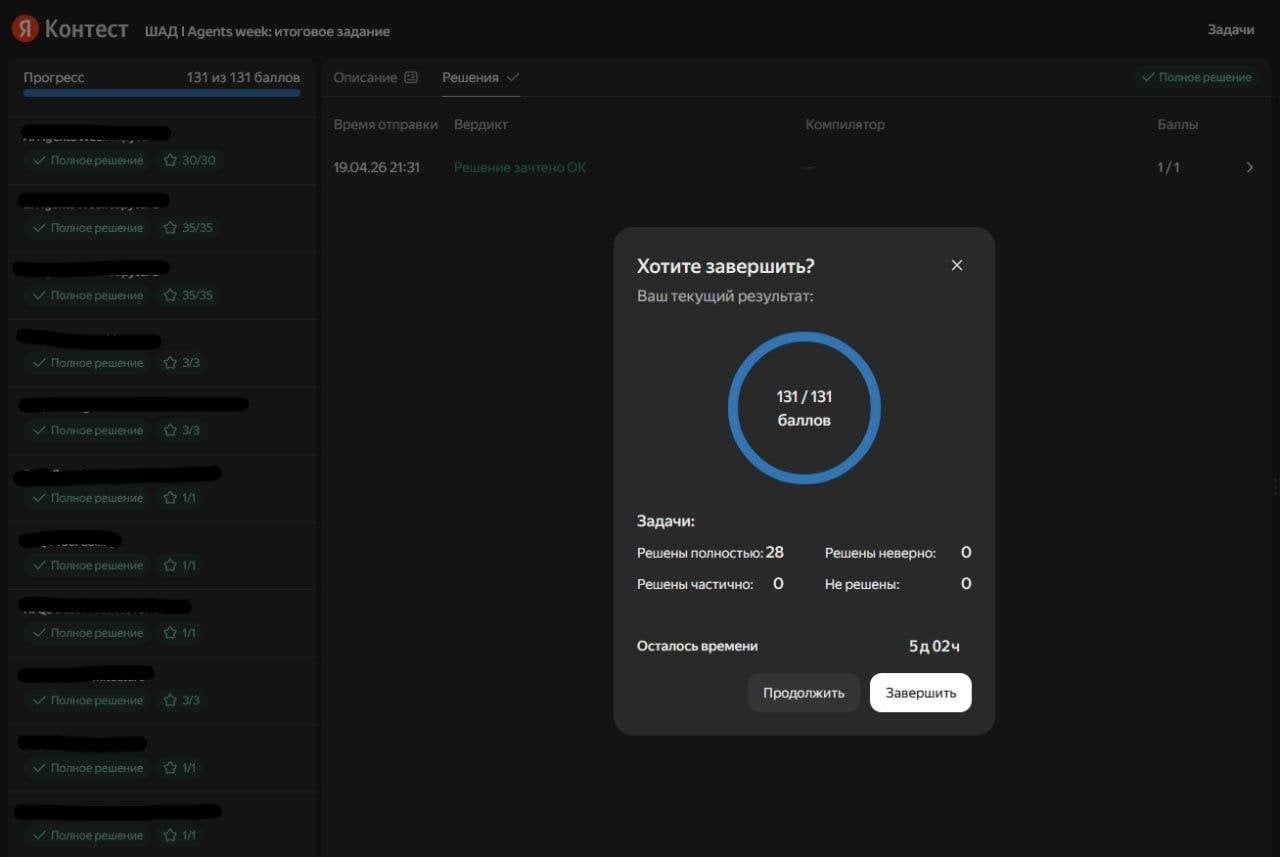
The inner “C student” was glad he can do this now
This entire archive of knowledge lives in my Obsidian, a note-taking app in the markdown format.
Markdown is a simple text format with a structure made of hash marks. But something else matters more: it is simply a folder of files on your computer. A person can open it, a website can, a file search tool can, a language model can. Inside, the files are linked to each other, forming a graph, and you begin to see how ideas hook onto one another. For academic work this pairs beautifully with the reference manager Zotero.
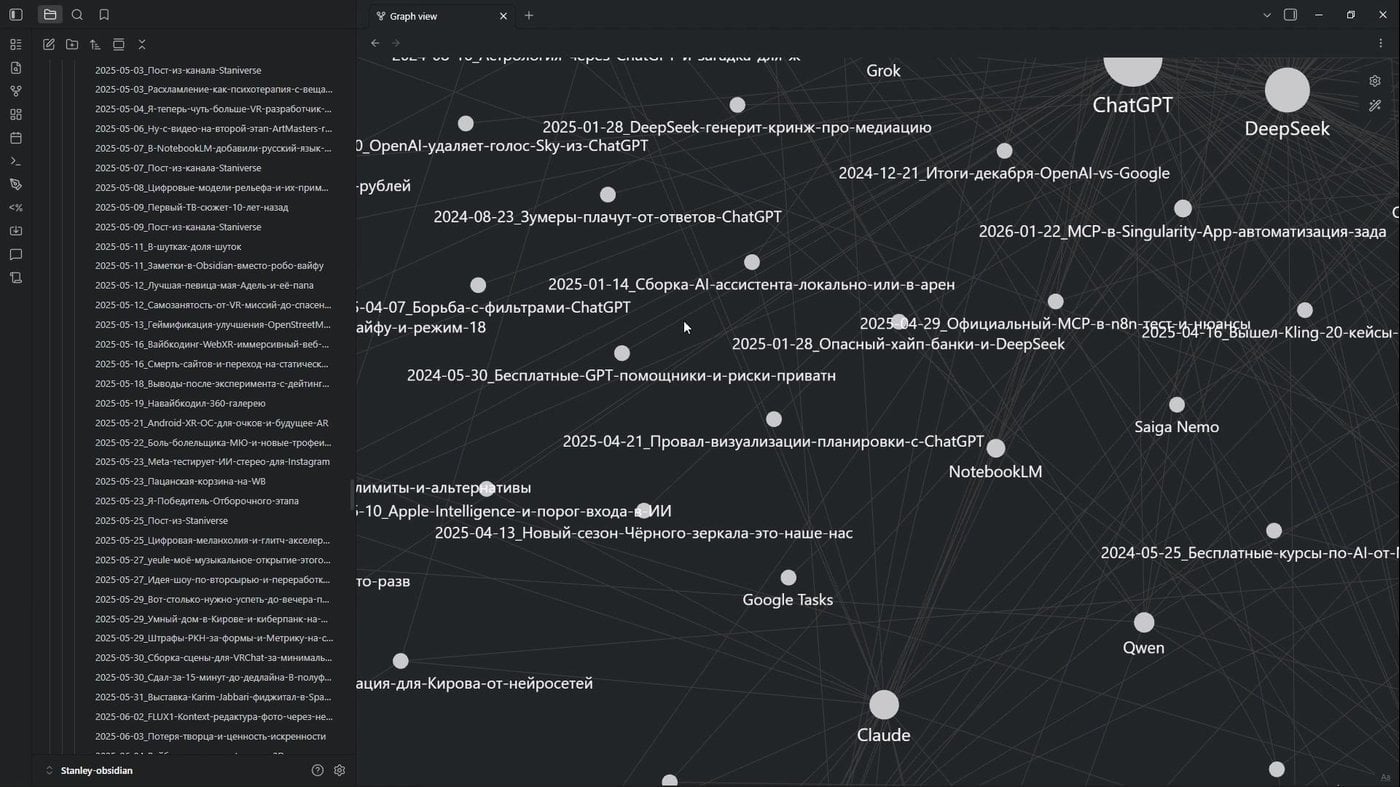
Marked up an export of my channel with a local Qwen-9B, and now I can show a pretty graph
If you want to carry part of this out into the world, Obsidian can be turned into a website. There is the paid official option, Obsidian Publish, and there is the open Quartz, which generates a static site and hosts it for free on some GitHub Pages or GitLab, if you have questions for Microsoft.
Recently I made a website this way with a base built from my Telegram channel. I marked up an export of the posts, linked them to each other, and it came out as a digital garden. Not a feed but a network of ideas.
I went further, got properly carried away and attached WebXR to it. If you open this site with a VR headset, you can literally fly inside the archive, travelling between posts as between constellations. Why? Well, first, it is beautiful. And second, a note stops being a dead end.
Okay, that is dealt with. Let us add the next layer.
AI agents and tools in harnesses
An AI agent is not a mystical digital employee that supposedly does the work of a whole team for 20 dollars. It is a language model plus rules, tools and the right to take steps. A chat simply answers. An agent can look at a file, call a search, run a command, save the result, and continue working with what came out of it.
What matters here is not to call absolutely everything an agent. There are plain LLM workflows, a pre-defined chain of steps. Let me give an example where AI is present but agency is not required. Say you have a landing page. A person leaves an enquiry there as a long free-form text. The system catches a webhook with that text, hands it to a cheap language model with the clear task “pull out of this the name, phone, email, the essence of the pain and which category it belongs to”, then neatly lays the structured entities out into spreadsheet cells, adds the contact to the CRM, and sends the manager a short notification with a digest through a bot in Telegram.
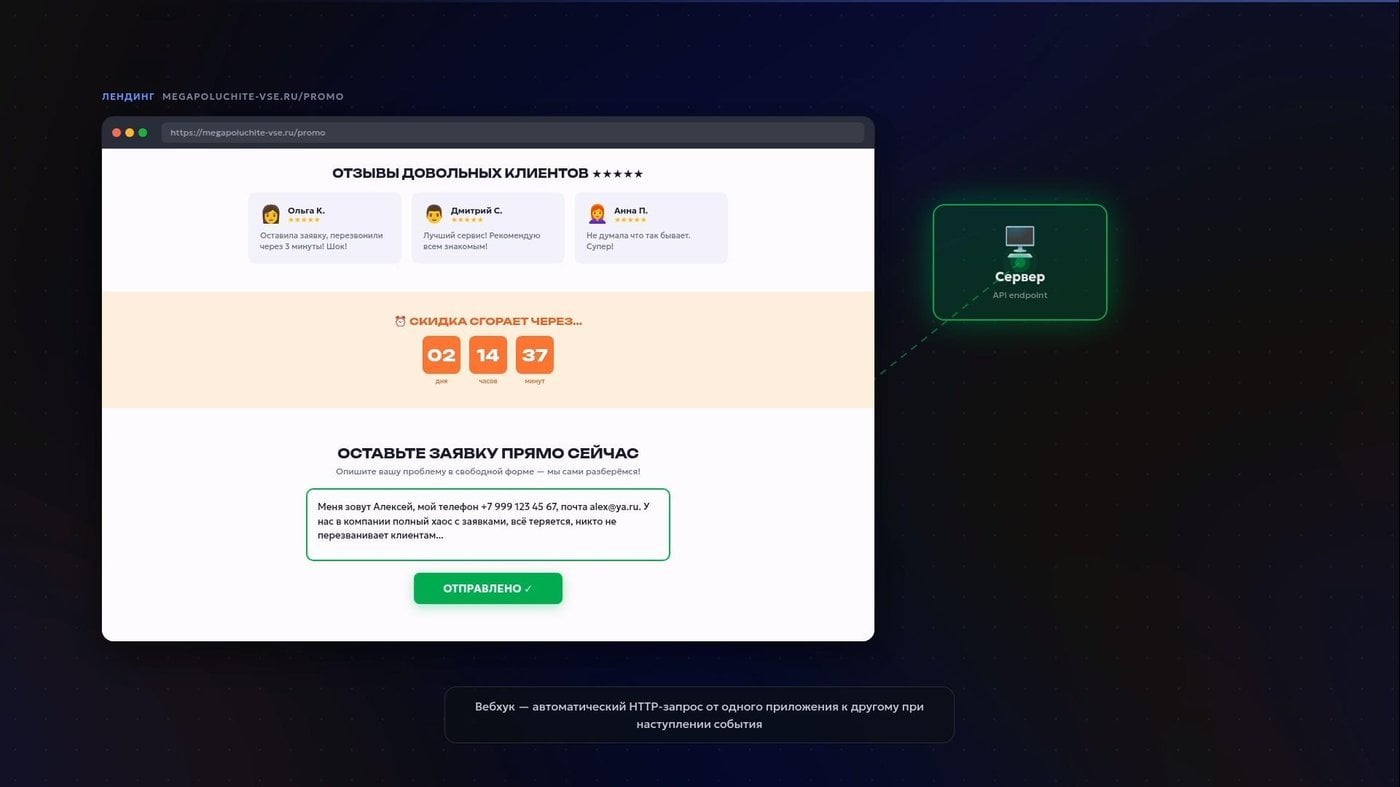
AIDA, AIDA, leads, webhooks
All of this is easily assembled in visual builders. For that kind of thing I like n8n, which I have already written about in the channel. Unlike the cloud Make.com, it can be self-hosted, that is, deployed on your own server, even inside the closed perimeter of some enterprise. That is a real salvation when you have legal restrictions on processing and storing citizens’ personal data. Someone else’s cloud or a foreign virtual server will not really do here.
And for such clear-cut tasks an honest, rigid conveyor works far better than an “autonomous agent” that will, with a knowing look, ride off into the sunset and come back with a bill for tokens.
Agency is something else. Let me explain with the basic ReAct pattern, reasoning and acting. The agent first thinks out loud: “what is going on and what needs to be done?”. Then it calls a tool. It looks at what came out. And only then decides on the next step. Think, act, observe.
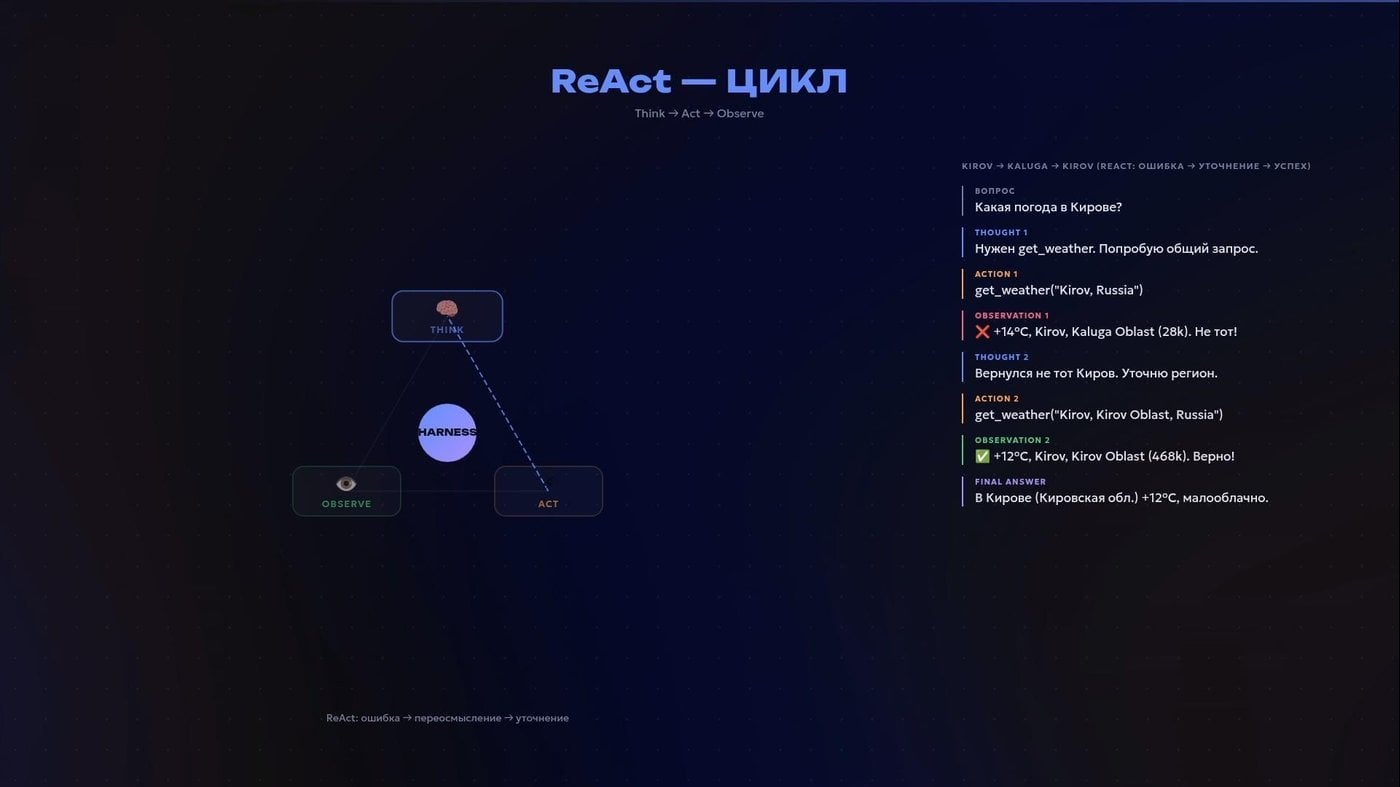
Personal pain, when services confuse Kirov in Kaluga Region with Kirov Region
All of it together, the prompt, the tools, the files, the accesses, is called a harness. It is the layer that turns an LLM from a chatterbox into a working tool. A good harness also knows how to route: simple tasks go to cheap models, complex ones to expensive ones. Checking whether the alarm is set for 8 a.m. does not require calling a giant, expensive Claude Opus. Analysing a fifty-page contract may well, and does. And so on every task the saving is tens of times over.
In essence, when such a harness gets direct access to your working folder and the terminal, it starts doing real things. These systems are still sold under the label “coding agents”. Not because they are needed only by programmers, but simply because they grew out of development tasks. In reality it is a universal combine for any work with text and files.
An LLM on its own remembers nothing. At first glance it seems similar to Lucy from the film “50 First Dates”: every new meeting starts as if from a clean slate. But that is only half the truth.
More precisely, another reference: “Memento”. Leonard does not keep memories in his head. Before each new scene he takes a stack of Polaroids, unfolds his notes, looks at his tattoos, and assembles a picture of the world out of them. His memory is on the outside, not on the inside.
Modern agentic systems are built roughly, and not very precisely, like this. The model itself is not a store. Before each run the agent assembles a temporary dossier for it: the history of the dialogue, notes, project files, search results. All of it is folded into a single context and sent to the LLM.
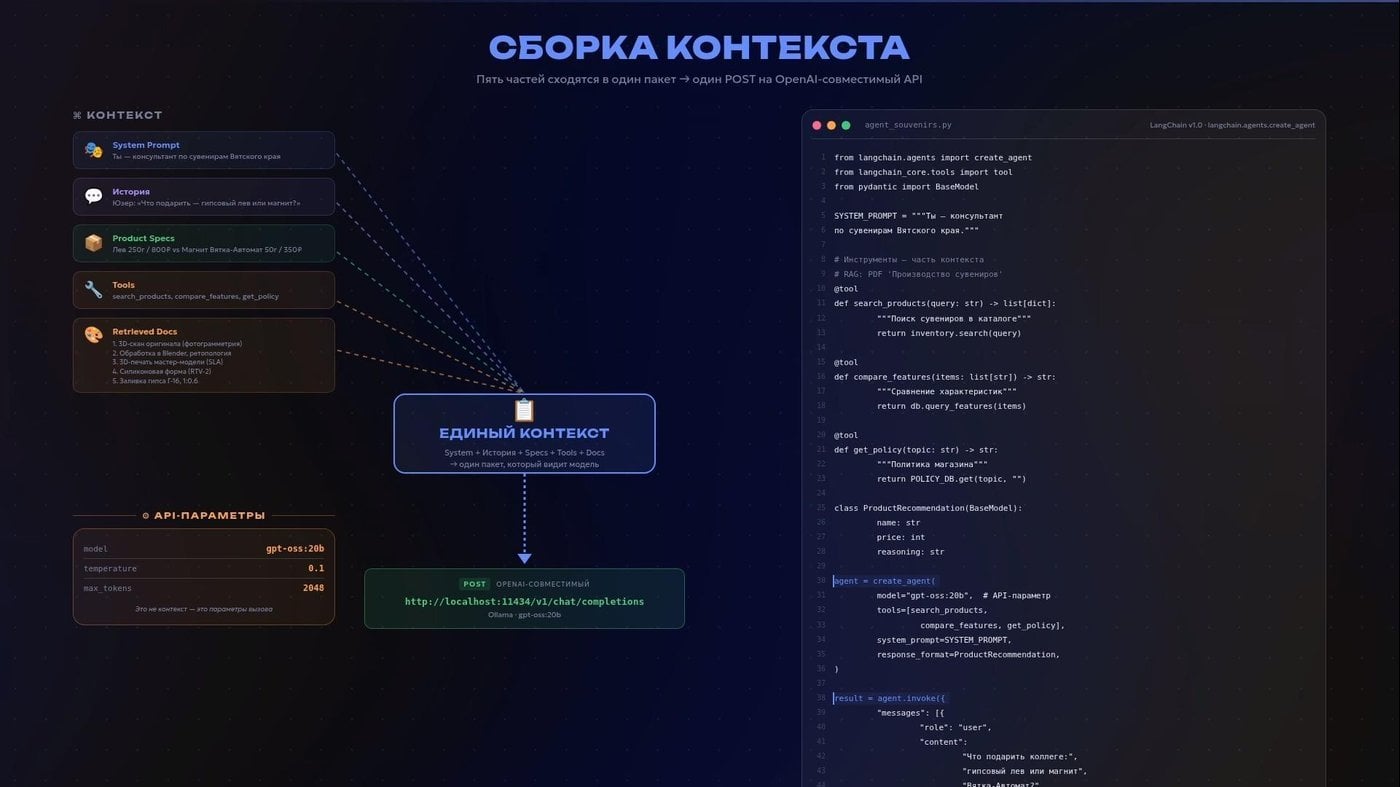
A rough scheme of how a request to an API model is assembled
Memory is not in the model. The model is a reader. Memory is kept in the archive, and the agent lays out the needed photographs and notes on the table each time before the reader enters the room.
This is where Claude Code from Anthropic, which has surely flashed past in your feeds, steps onto the front of the stage. You simply describe the task, and it reads files, suggests edits and runs the needed commands itself. I prefer to run it through the terminal, that is, through a CLI, the command-line interface. It sounds scarier than it looks, it is simply control through text. Models even find it more convenient that way.
With enough imagination, yours or an attacker’s, a caught hallucination can manage to wipe the operating system, having first sent a folder of sensitive photographs into a work chat. It does not have to happen that way, but keep it in mind. Keep an eye on things, isolate where you can.
And if there is no official CLI, as with NotebookLM, the community sometimes writes its own libraries. Then the agent starts working with the service however it likes (at your own risk of a ban). That is, you can automate both the research work and the generation of that very podcast for a morning walk, without building your own complex RAG.
When an agent needs to get data or perform an action on the internet, it turns to another program through a special interface for exchanging requests and data. Such an interface is called an API. For example, in the landing-page scenario a new contact was created through the CRM system’s API, and a notification with a short digest of the enquiry was sent to the manager through the Telegram bot API. Most modern services provide such interfaces so that other programs can interact with them.
If there is neither a CLI nor an API at all, but you still want to automate some specific piece of software designed only for a human with a ball mouse, computer use comes into play. The agent will take a screenshot of the screen, send it to a model with image support as input, work out where the needed button is, click it, type text, take another screenshot to check, and move on to reasoning about the XY coordinates of the desktop.
Still frightened of the terminal? Claude Code, like Codex from OpenAI or the open OpenCode, has native desktop apps.
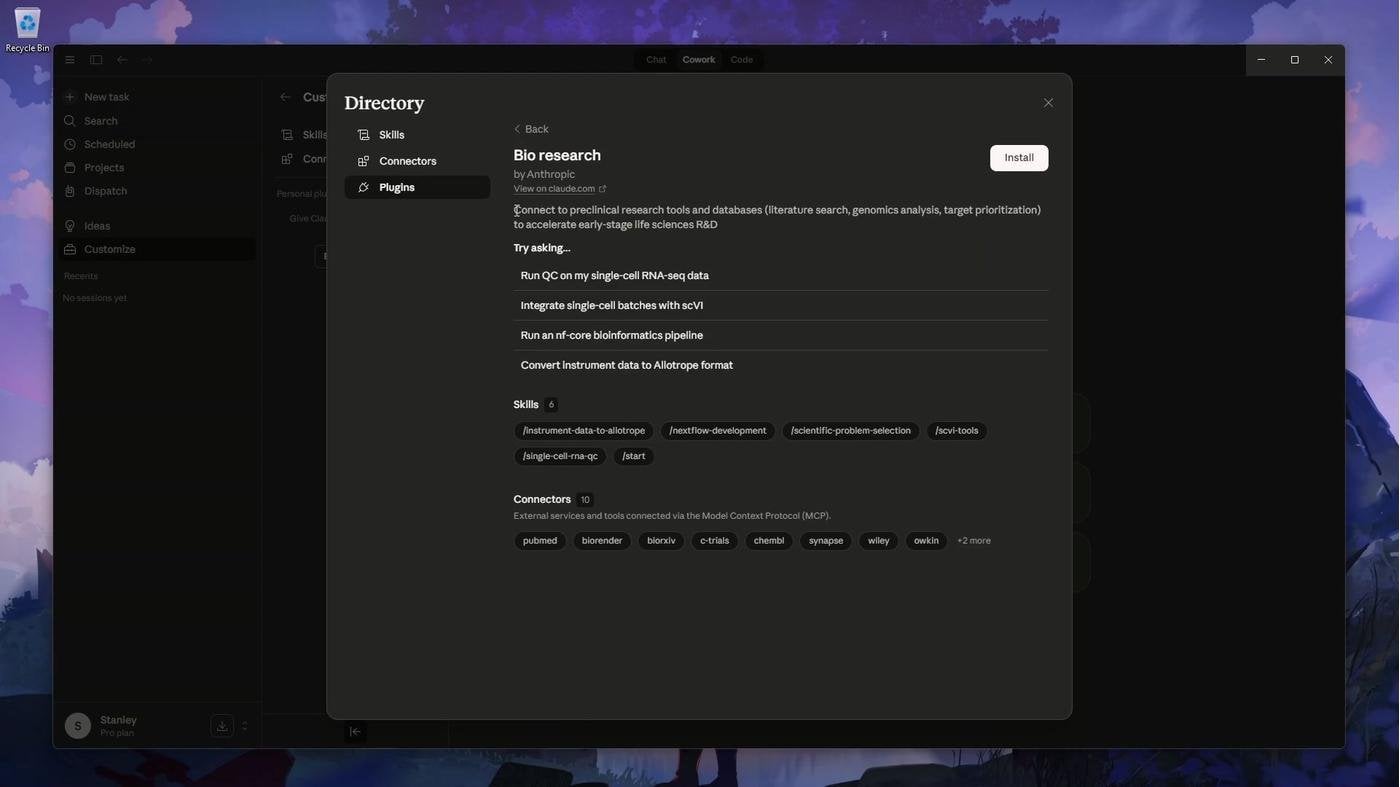
One of the native plugins in the desktop Claude app
Another option is to run the assistant in some universal editor with a graphical interface, so that you can open and edit files with your texts right there. For example, in VS Code. Or in VSCodium, if, like me, you dislike the extra Microsoft telemetry. Do not let the “code editor” label scare you. It looks no scarier than Word: the files lie on the left, in the centre you read and edit them, and the assistant sits to the side or at the bottom.
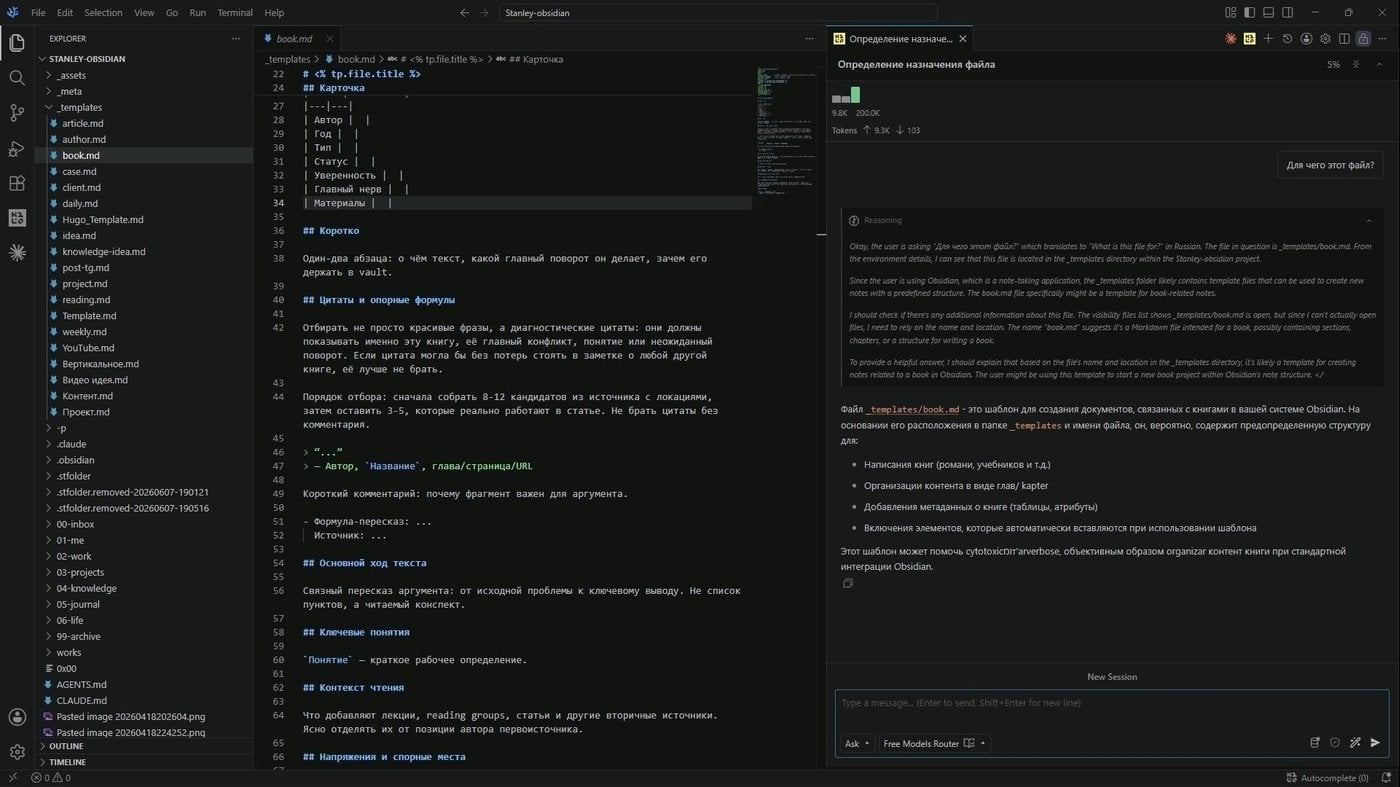
You can work with all of this like this,…
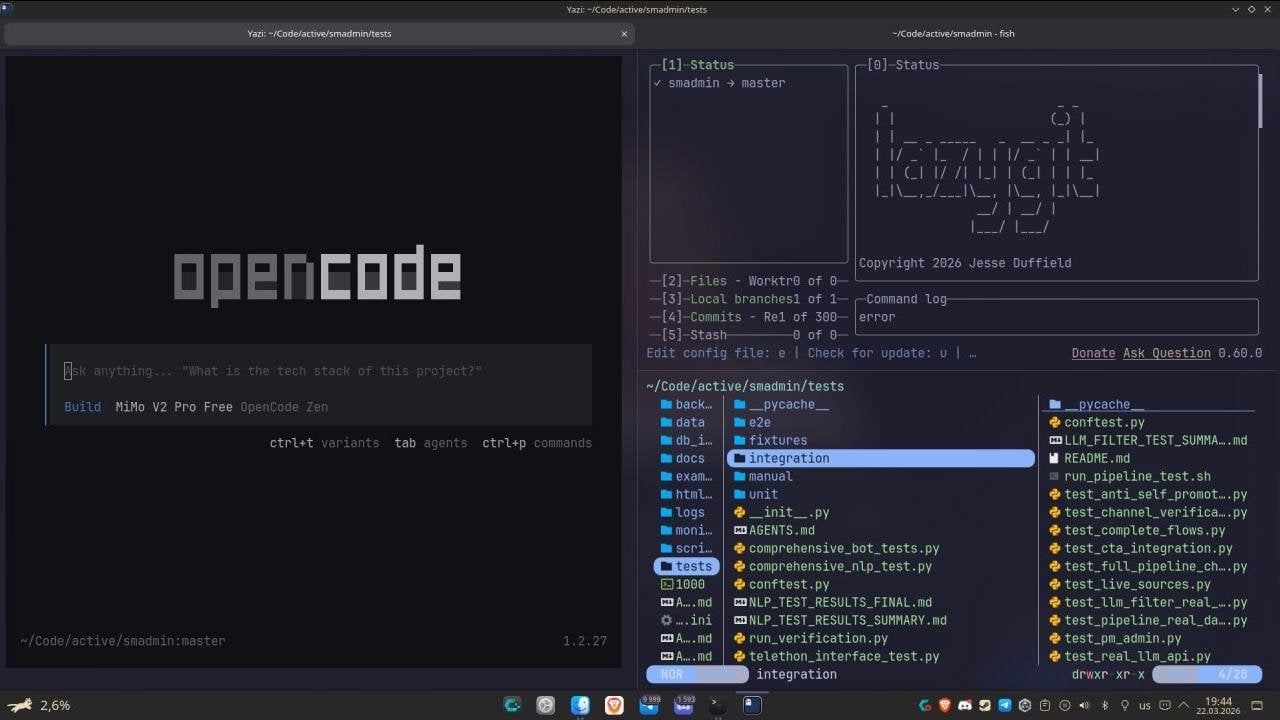
…, if this scares you. Though this way is more convenient!
And right there you can install the official extension of the same Claude Code. Or the open extension Kilo Code, which under the hood now runs on the OpenCode engine and generously shares access to current Chinese models.
More open code, less tie to a single vendor! Closed software is when a corporation decides everything for you. They felt like it, and they raised the subscription price. They felt like it, and they cut off access in one day. And then they quietly fine-tuned the model on your own files and conversations, and sold your data to some advertising provider.
Yanis Varoufakis in his book “Technofeudalism” calls this the transformation of users into digital peasants. It sounds loud, but the unpleasant feeling when someone pulls the switch simply because they can, when the service you are used to becomes noticeably more expensive while getting worse, and you can do nothing about it, is very familiar.
If you want maximum control over where your data goes, there is the fully open OpenCode, which can be run locally. Local models such as Qwen or Gemma connect to it through inference tools: vllm, Ollama, llama.cpp from LM Studio. Not every computer will pull this off hardware-wise, but there are small models that fit into a gaming graphics card.
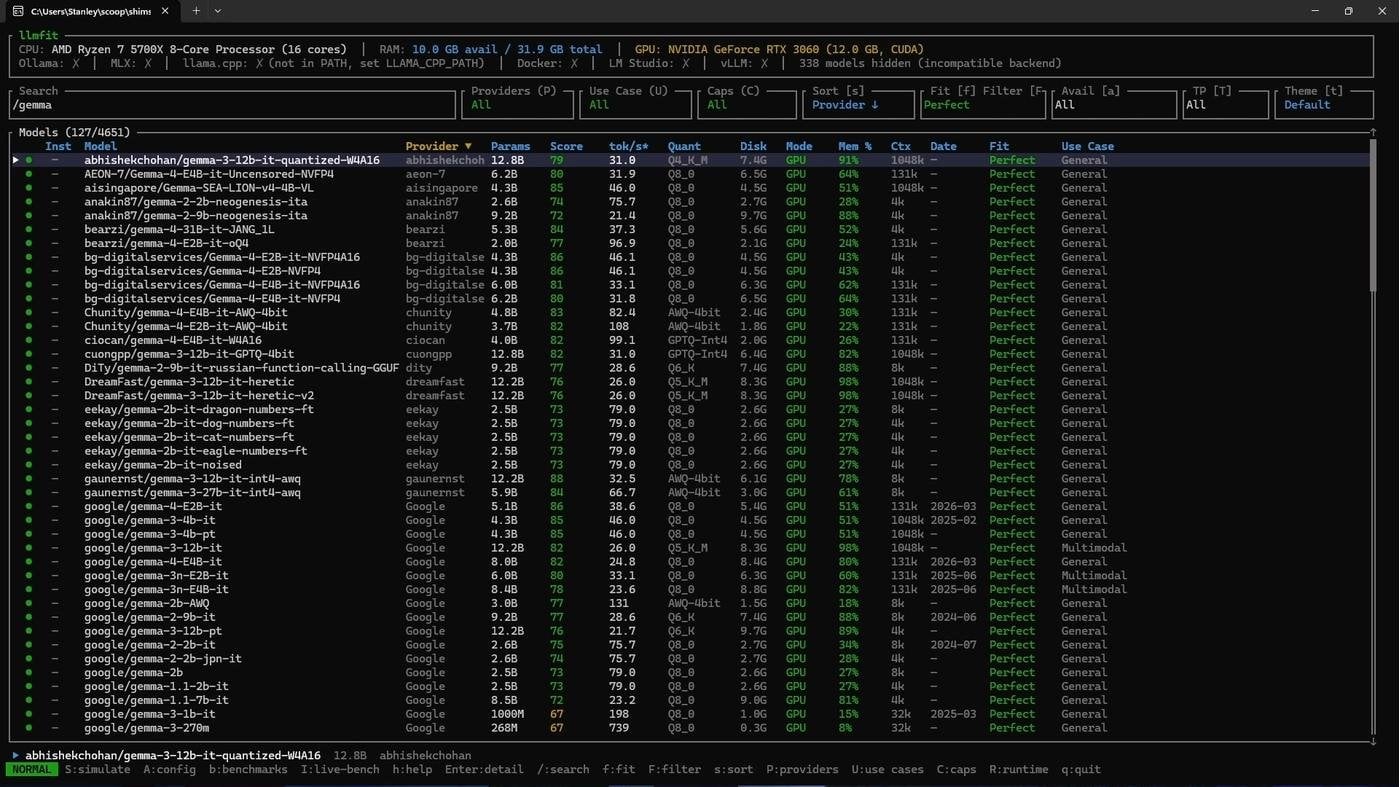
Looked at what fits into my 3060 with llmfit
And there are very small language models, SLMs, that even a phone can run. Relevant in a forest, and wherever something is going wrong with mobile coverage. In a megacity, for example.

Gemma-4-E2B on my Poco X7 Pro. With vision, even!
If you want something more serious, you can assemble a small home cluster: several Mac Minis, NVIDIA DGX Spark. Or, on a budget, ancient Radeon MI50 cards with a mountain of server RAM. A festival of privacy and independence from external infrastructure.
An observation from personal experience: local models from the same Ollama, like cheap API keys for Chinese models, can be plugged straight into official apps such as Claude Code, if it is exactly their interface you like. That is how I save a decent amount.
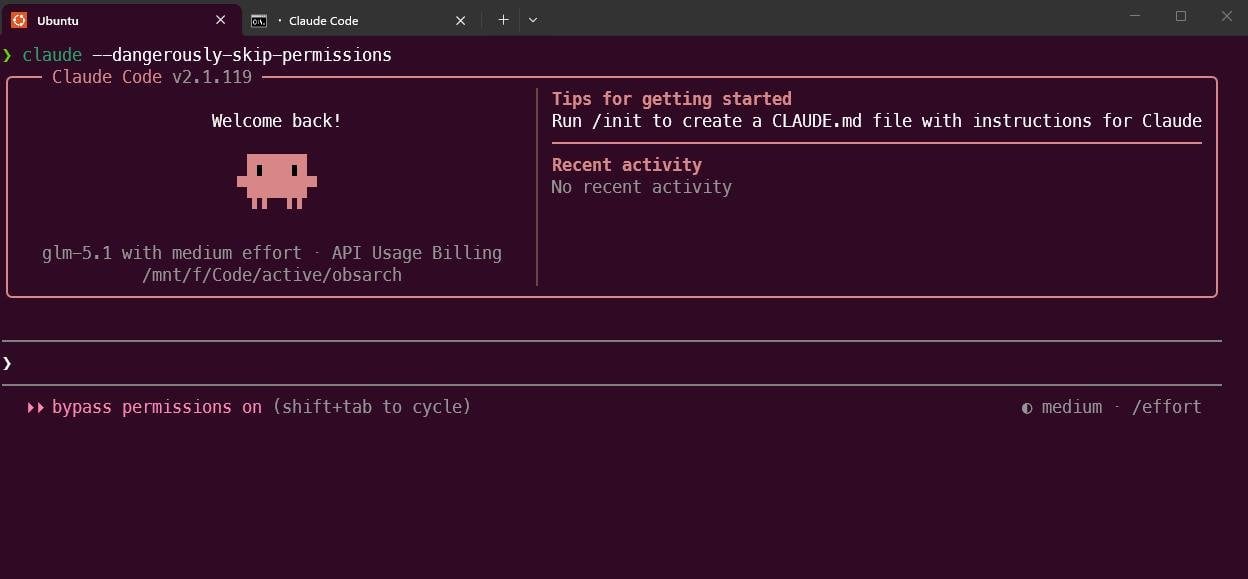
Hid in .env
Yes, models born in China (Qwen, DeepSeek, GLM, Kimi, MiniMax) are several times cheaper than Western ones, even for the West on the Western market. And not necessarily slower: the new DeepSeek, after moving to Huawei chips, shows excellent speed and results on large volumes. I myself managed to grab an annual GLM subscription at the start of the year for three dollars a month. Slow, but it works. Prices like that are gone already.
I would like our digital development to move in that direction too, towards competition, rather than towards blockades.
A file with basic instructions can lie in the project folder. And next to it, skill files, the so-called Skills. They are written by developers, enthusiasts from the community, really by anyone at all.
Here is what the real humanizer skill looks like, the one that removes signs of AI generation from texts. This is not complex code, simply a human-readable heading and text in English with markup, exactly like in our Obsidian. It can be in Russian or in Chinese too, the models will understand everything.
Anyone really can write something like that. Anyone at all, to the point that you can delegate it to the AI itself. There are meta-skills that write skills. And agents that create other agents. If you feel like it, you can run a skill for a skill, so that an agent creates an agent that will write a skill. And all of it will be carried out by a model whose code was written by the previous version of that model. By May 2026 more than 80% of Anthropic’s codebase had been written by Claude.
What does the community offer from the popular end? For example, Marketing Skills with dozens of commands for SEO and analytics. But treat agents with such skills as interns, not as professionals with long experience. Without your own trained eye and relevant experience, there will simply be nothing to evaluate and correct their work with.
Now for the technical side of connecting Granola and other tools. There is an open standard through which AI applications connect to external data, MCP, the model context protocol. For simplicity it is called “USB-C for AI”. Search engines, databases, your files, documentation for anything, all of it can be connected through one standard.
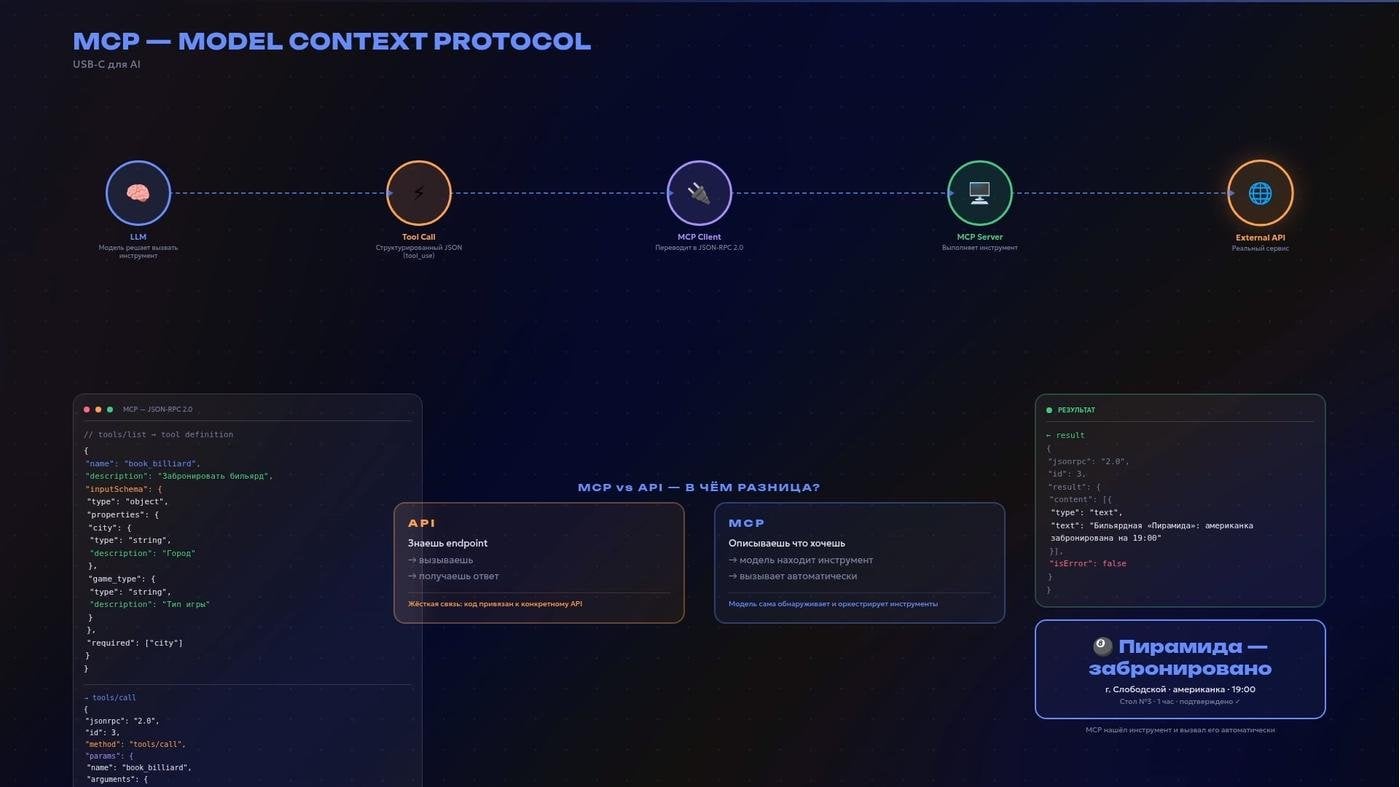
An attempt to visualise MCP and how it differs from an API, using a billiard-table booking in the provinces as the example
Claude Code has a feature on a local MCP server: it sends events to Telegram, Discord or iMessage. You gave the agent a task, it did the work on your computer at home, and you got the result in a place you are used to, next to your work and family chats and your favourite channels with niche memes.
Working during a walk in the park is a perfectly workable story. If the idea of being distracted by work while taking a break from work does not bother you. On the other hand, you may want to touch grass so badly that, in defiance of it, you assemble and configure Meshtastic to stay in touch with your agents, an open-source messenger that works entirely without the internet and without cell towers.
There are also protocols by which agents talk to each other: A2A and ACP. A2A came from Google, ACP from IBM/BeeAI. In August 2025 they came together under one umbrella, the Linux Foundation.
There is a GitHub repository of a project to help the researcher, AutoResearchClaw. In it an idea passes through a pipeline of 23 stages up to a finished article in LaTeX. It works both automatically and with a human in the loop, when at key steps you can approve, correct or roll back. And it is through that very ACP that it connects to any agent.
Search deserves its own word.
The usual Google has not gone anywhere. Alongside it exists specialised search. For example, Google Scholar for academic papers. I was looking there for research on AI and XR, and stumbled into the profile of a researcher from Hong Kong who writes about TikTok for Filipino boys and girl musicians, virtual love with AI, or with avatars in VRChat. Now that is a dream job!
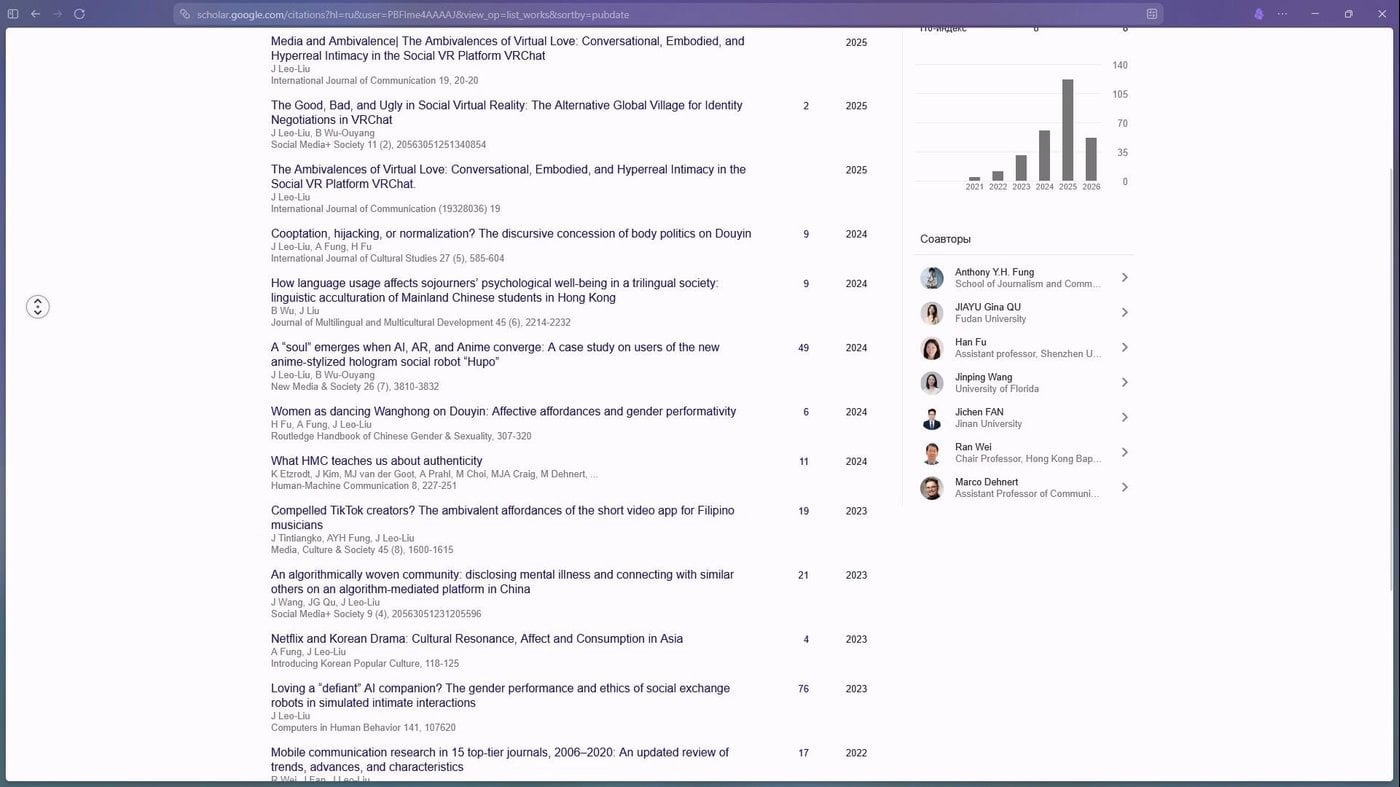
Now this, for the good of science, I would write!
Further along are hybrid solutions like Perplexity AI, which assemble an answer with links. And behind them what is called Deep Research. The model splits the question into subtasks, goes to the web, compares sources and assembles a report. A good way to quickly draw yourself a map of unfamiliar terrain.
Lately I have been using Exa AI and Parallel AI; both have generous free plans and the ability to search strictly across academic sources. If you want to keep everything on your own server, there are the open GPT Researcher, Searcharvester, DeerFlow 2.0 from ByteDance, and Tongyi DeepResearch from Alibaba. Most self-hosted variants require Docker, which in practice is one command, docker compose up, from the folder of the unpacked archive, and everything comes up on its own. In the extreme case, the usual chat will help, or a self-employed freelancer.
Choose one with a high price tag, a business-card site not built on AIDA, but with a WebXR graph. And with a Telegram channel, consider this a moment of self-promotion
There is also a separate branch, not about searching for information but more about experiments in machine learning. That is, the agent does not simply read something somewhere, it tries different variants itself and checks what genuinely works better.
For that you need to define quality metrics in advance, give it a safe environment for experiments, keep a log of changes and save only those solutions that really improve the result.
Among the examples is AutoResearch by your new, or old, acquaintance Andrej Karpathy. Multi-Agent AutoResearch develops the idea: one agent looks for hypotheses, another plans the experiments, a third removes duplicates, the rest run the tests and collect the metrics. In the end the research breaks down into a set of specialised roles.
What I have described above are agents built for a task. But there is another class: a permanent personal agent that simply lives alongside you.
The “king” of the early-2026 hype on GitHub was OpenClaw. In less than half a year the project gathered almost 380 thousand stars. It overtook React, the interface library a fair share of the modern web is written in, and the Linux kernel itself, which, as part of one distribution or another, is met everywhere: from smart fridges to the most expensive data centres.
Time will tell how well that result survives the hype. It seems to me that today stars are better looked at through a telescope. Or in Space Engine. Finding something genuinely new in git trends is now incredibly hard, everything is jammed tight with projects whose descriptions invariably hang with the magic incantation “AI agent”, or “harness”.

I recommend everyone fly into the black hole in VR mode
Sometimes you are surprised by who flies into this topic. Literally the other day PewDiePie presented Odysseus, his own AI workspace with an agent harness. After an external video about the release was published, the project gathered more than 30 thousand stars on GitHub in just a couple of days.
What is the idea of OpenClaw and projects like it? You can have several independent agents, each living in its own folder. It is precisely the files in that folder that assemble the agent’s personality, and with the right approach, in combination with other memory sources, the feeling arises that it has known you and your projects for years like no one else.
OpenClaw connects to Telegram, Discord, WhatsApp and many more things besides. I want to single out the support for the Matrix protocol, which you can run on your own server for maximum privacy and use with the Element client.
But you can simply put telemt on a cheap foreign server and keep using the best messenger there is, Telegram. In its May announcement bots learned to talk to other bots and to answer for you in direct messages. Which is not useless for anyone who sells something or provides services. On the same Avito, which loves to keep inventing new fees for everything and raising the current ones, AI auto-responders with connected knowledge about your offer took off, because the speed of the answer decides whether the client leaves for a competitor.
In China hundreds of people are ready to stand in a queue simply to be helped to install OpenClaw on a laptop. In the press this madness is called “growing a lobster”; TechRadar and Fortune have taken the phenomenon apart. And there is no shortage of stories about bosses who need to see that “AI has been implemented” and to introduce KPIs for tasks solved with agents. From all ends of the earth. True, no magic happens if the data is scattered around, the processes are manual, and the task is simply “do something with AI”.
Another example of a personal agent that I like is Hermes from Nous Research. Not so much for the feature set as for the way it accumulates experience. And for the visual style its site gives out.
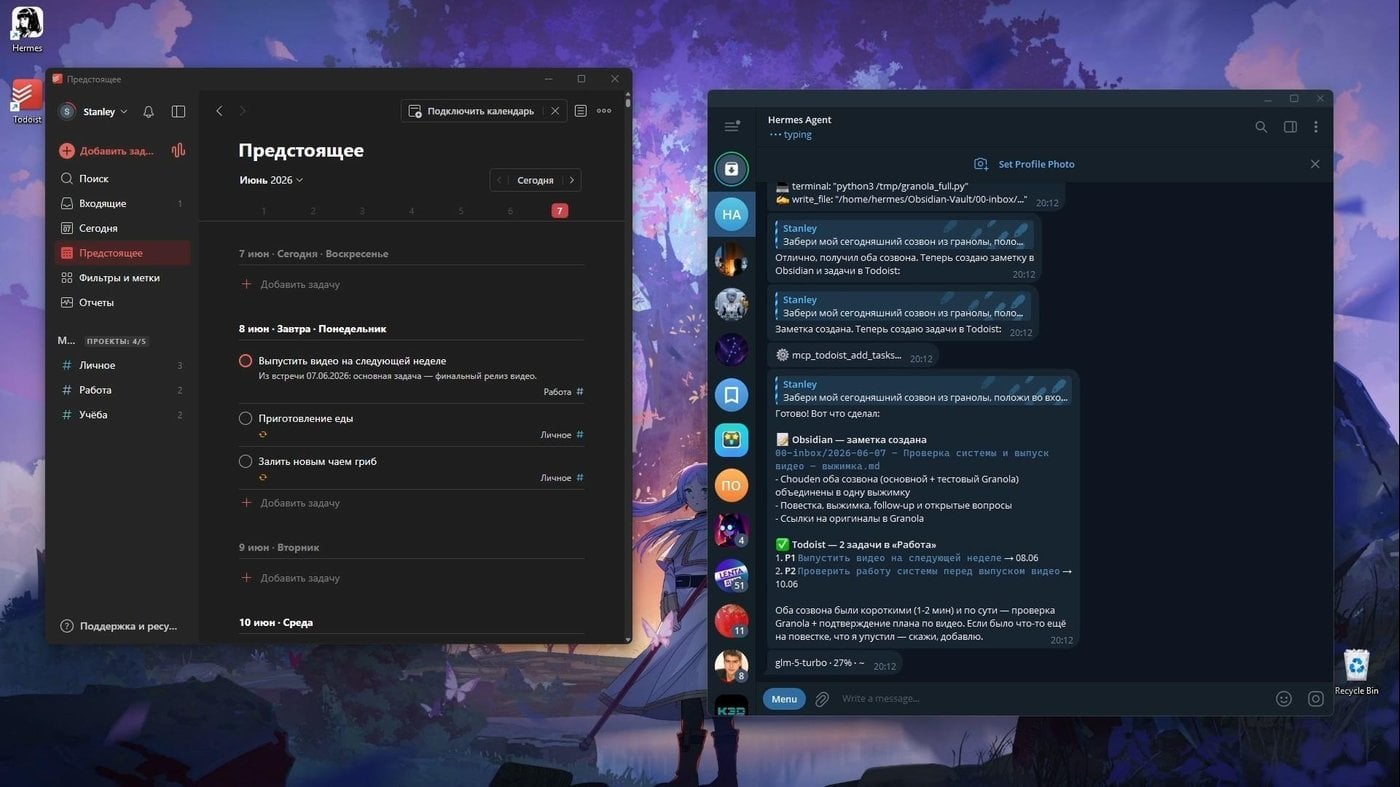
With Hermes we learned to connect to that same Granola and the Todoist API, to pull one out of the other, break it into tasks and put the transcripts into the Obsidian inbox
The agent keeps a living memory of the user and the environment, regularly reviews it as it works, and decides on its own what is worth keeping and what to throw away. If it had to deal with some new infrastructure or service, it can save a successful approach as a skill, something like a note in the margin, and come back to it next time. Over time there are more of these skill-notes, and the agent starts from scratch less and less.
This is complemented by external long-term memory like Honcho: it stores not only the ways tasks were solved but also the context around them, preferences, the specifics of projects, accumulated observations. Continuing the Memento analogy, Honcho does not simply put the Polaroids into a box but, before each task, takes out a few of the very ones that may be useful right now. While optimising the context window and saving token spend.
I warned you at the beginning that after this video you will not learn to earn with AI, and will rather want to spend some amount of time and money on experiments with all of this! With Hermes, as with OpenClaw, you can fit into roughly 2,500 roubles a month for a 20-dollar ChatGPT subscription with Codex and the rent of a virtual server. I do not recommend Claude for 20 dollars, you run into the limits too quickly, plus the risk of bans for connecting to non-native services. OpenAI are much more loyal about that. For now.
And the virtual server can be replaced by a mini PC standing at home, or a single-board computer like the Raspberry Pi. Even for my old Model B+ with 512 MB of RAM there was PicoClaw, taking up less than 10 MB of that very RAM. That way you can give a second life to a 12-year-old piece of hardware gathering dust on a shelf.
If you want to build your own, look at frameworks like LangChain, LangGraph, PydanticAI, Mastra, OpenAI Agents SDK and others. For a first step and for personal use, that is overkill.
And, well, that. Welcome to the feeling that we are somewhere between the film “Her”, Tony Stark’s JARVIS, and the dawn of one-person pocket AI companies!
About the last of those, you can take a look at Paperclip, a thing for orchestrating teams of AI agents. With it you can assemble a sort-of company of AI agents with an org structure and budgets.
An antifragile kitchen in a Markdown communal flat (Obsidian as a single source of truth for AI)
We already have voice, transcripts, sources, agents with tools, local and cloud models. And right now all of this resembles some kind of communal flat. Every tool sits in its own room, lives its own life, with its own memory and its own database. But it would be great if they all met in the shared kitchen from time to time.
The trick is that even if the tools are absolutely different, you can make them come to an agreement. You simply create a portable layer of context, a shared space where all the agents drop their results and take what they need. And that place, that “shared kitchen”, can be the Obsidian vault. More precisely, that very folder of text files on your disk. The one that can and should be edited.
So that the agents have access to it, this vault, or only the part of it that is needed, can be synced from your computer to that same virtual server through the simple Syncthing. If you do not know how to configure it, simply ask your agent to help, it will write you a step-by-step instruction or do everything for you altogether, if it has enough permissions.
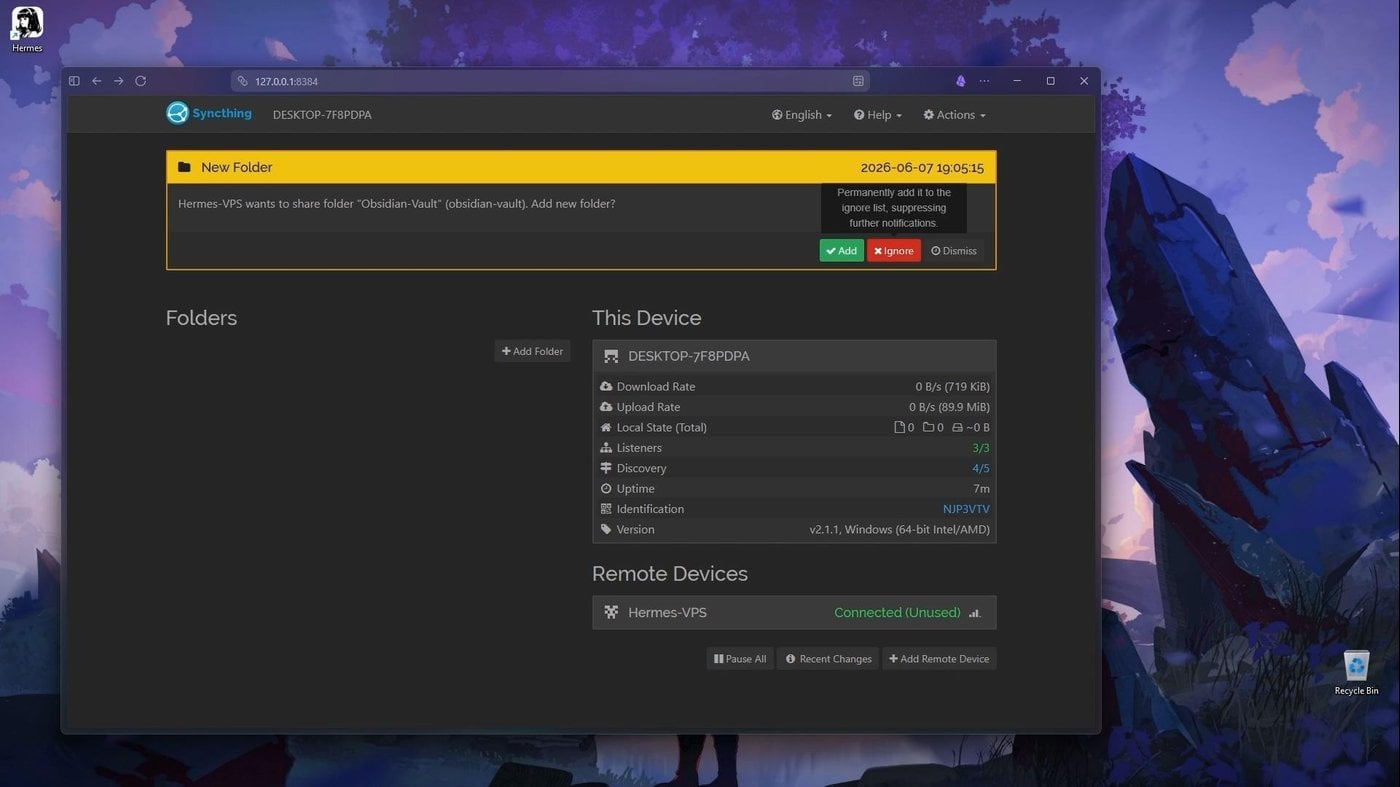
Agreed with Hermes to sync my Vault and got an invite to the share
What does this look like in practice? Say I am riding on a bus, looking out of the window, and a great topic for a post comes into my head. Before, I would have had to take out the phone, open the browser, breed tabs. Now it can be done differently.
I simply open Telegram and write a message to my personal agent, for example that very Hermes I told you about a little earlier. I say: “Listen, there is this thought, do some research on the topic and prepare a draft of a publication”. That is where my part in it ends, and I ride on.
What will the agent do during that time? It will research the internet with the tools you already know, gather the facts. Then, through that very synced channel, it will reach my folder and neatly put the sources it found into a pre-agreed format in a pre-agreed place. And after that it will squeeze the essence out of those same sources and put a finished draft for the channel into the Drafts folder. It will even take my tone of voice into account.
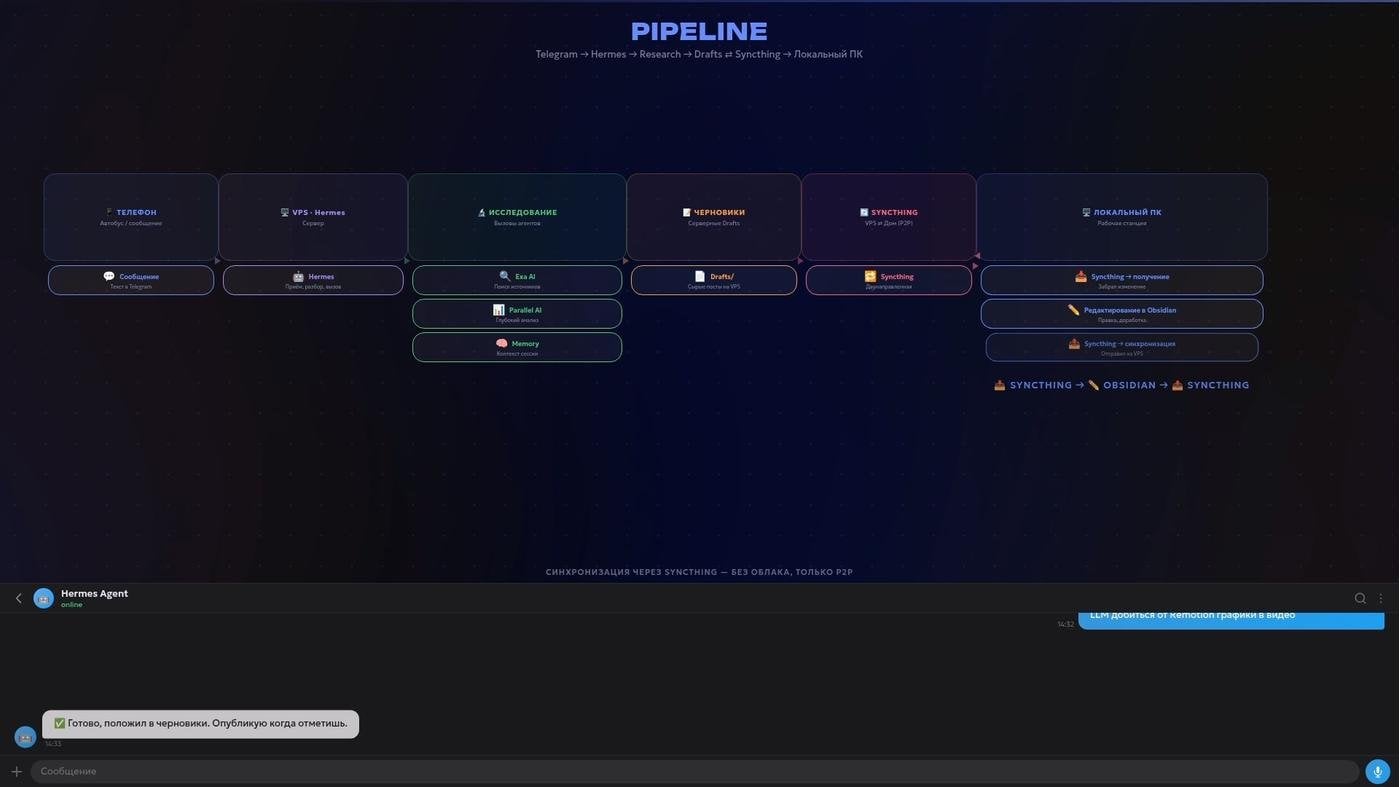
The pipeline of the case, with a draft of the post
By the time I get to the computer, I will already have the ready facts and a draft to work with, under the light of lamps printed on a 3D printer with smart bulbs in them. And the magic of the evening will not end there. The agent will remember in the external layer which topics interest me in general. What is more, I can set the process up so that when I finish editing this draft and tick ready_to_publish in the metadata, the text has to be picked up. It will see that trigger, take the file and publish the post to the needed social networks through Postiz, or directly through the API where that is possible, having first adapted it to their formats. All of this with a minimum of participation from me.
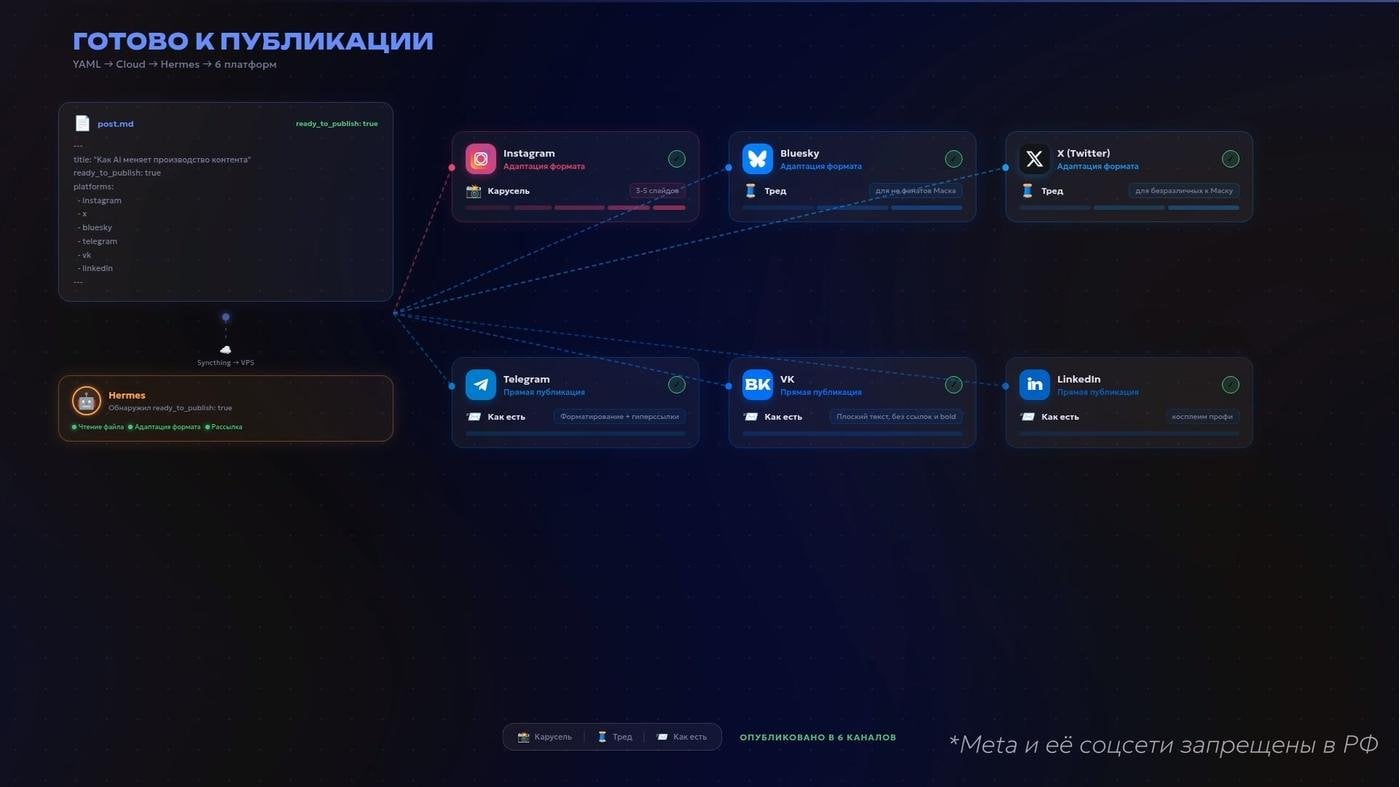
You need to account for the specifics and formats of social networks when crossposting
For example, you are building a web app. Your Claude Code looks into the project’s “Backlog” folder, checks itself against the tasks, writes code and then updates the progress by itself, right in the backlog’s markdown file. At the same time Hermes quietly collects a selection of interesting things for me and sends me tasks formulated according to the canons of “the Jedai Techniques” into Todoist. Meanwhile, the agent that helps with research for the next one lives only in the “MetaverseVideo” folder and does not suspect the existence of your code or your Telegram posts at all. They work in parallel, in one space, and do not break each other.
And to make the context even fuller, a great idea is to set up background processes that will automatically export data from your external trackers and services, turn it into neat markdown tables and put it into Obsidian.
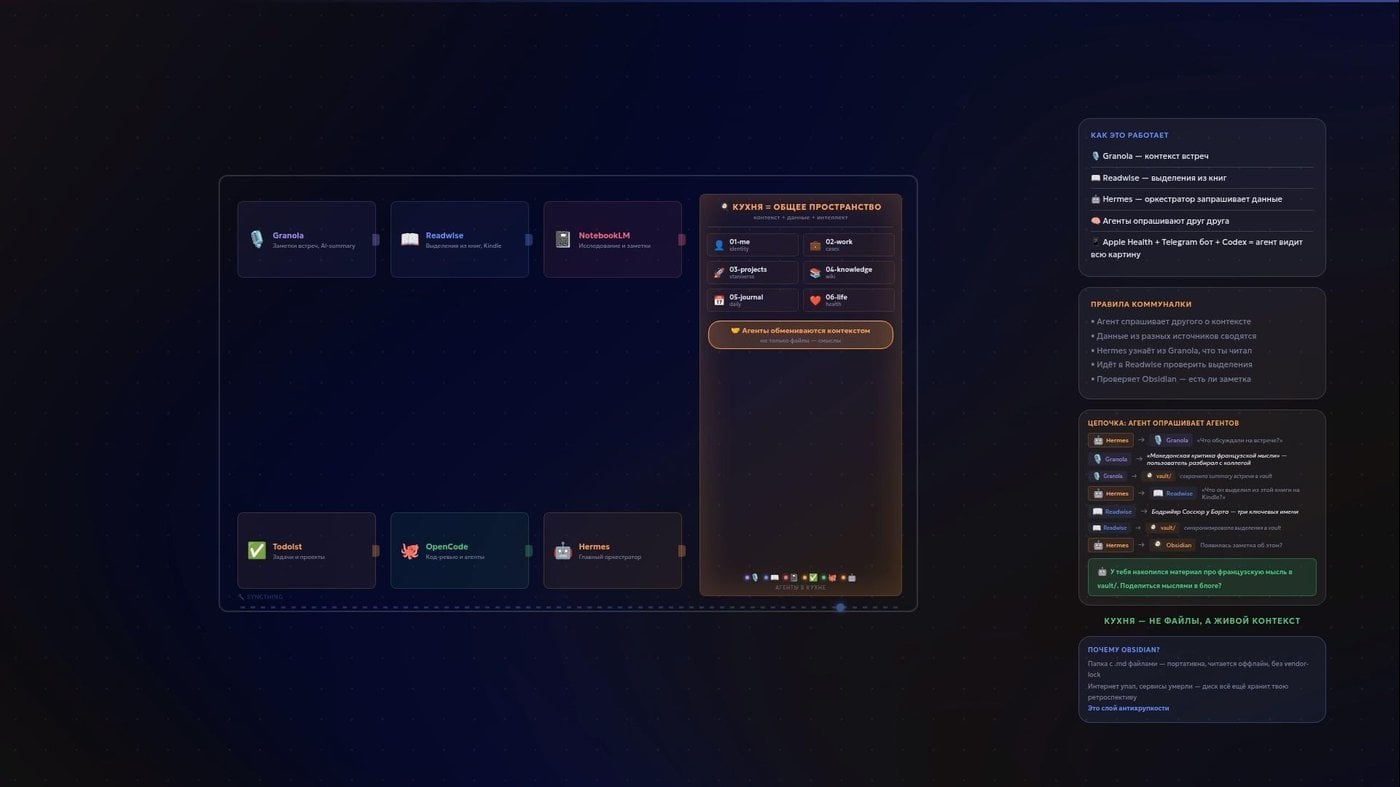
When you get tired, bring them, bring them all. Into the kitchen
And here it is logical to ask: if the agents are so smart, writing scripts themselves, walking through APIs, gathering information, why drag all of this into some Obsidian on a home PC at all? Say I need some health assistant that will understand that the cause of bad sleep and frequent waking, with an elevated heart rate and weight, is the evening beer with ribs, the day-before-yesterday’s vermouth with cheese and low physical activity over the period. Calories can be counted for me by a separate bot in Telegram from a photo of the plate. Or it will somehow pull them from FatSecret. Sleep and workouts are tracked by a bracelet and sent into the same Apple Health. The code of my undoubtedly multi-billion B2B AI SaaS will be checked by Codex, and a smart agent-assistant will simply tie all of it together in its own or external memory when I ask. What is a text folder needed for here?
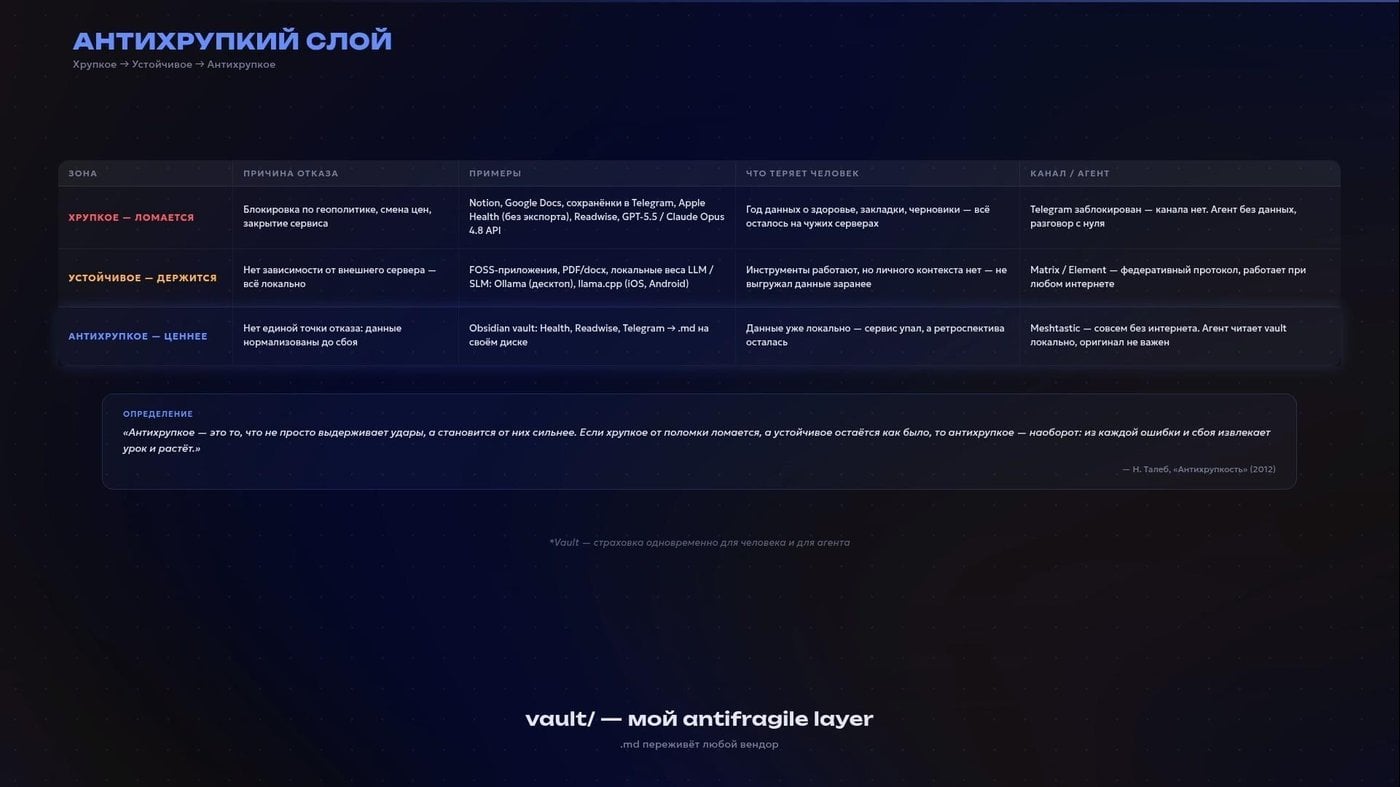
Tried to draw parallels with N. Taleb
Because here Obsidian is not so much a database as a safety layer. Portable, readable without the internet, tied to no single cloud or vendor. Your layer of antifragility. And if tomorrow the internet is switched off and all the services fall over, a comprehensible textual retrospective will remain on the disk.
We are, unfortunately, not the elf Frieren, we do not have a thousand years to gather knowledge by trial and error. For a start we would at least like to get her quality of sleep! And after that, digital immortality with access to all knowledge in the cloud. Which the cloud is, after all, a server.
How can this folder of yours, with everything acquired and saved, evolve further? There is a concept that that same Andrej Karpathy calls LLM Wiki. The point is to start a process that, between your raw PDFs, links and the model, will create synthetic concept articles. You added a source, and the agent went by itself and updated the shared wiki article about that term. The model reads only that. Frameworks like obsidian-wiki develop the idea.
I am closer to a simpler approach: agree with the agent on rules and templates. This is how to process a book, that is how to take a lecture apart, and in this way to create a source card. This is how to get tasks out of a call, and by this algorithm to get a draft publication out of a voice message.
With that, let us return to the thesis.
Thesis as a Project (or how not to open Word)
The topic of my thesis: optimisation of nature management and environmental protection in Kirov Region.
Let us start from the beginning. There is the department’s handbook in PDF. I opened it in Google AI Studio and asked it to extract a structured list of requirements. It could have been done through an agent too, but I was saving tokens. Today I would try to run it through the book-to-skill skill, which should be greatly disliked by publishing houses and authors on royalties.
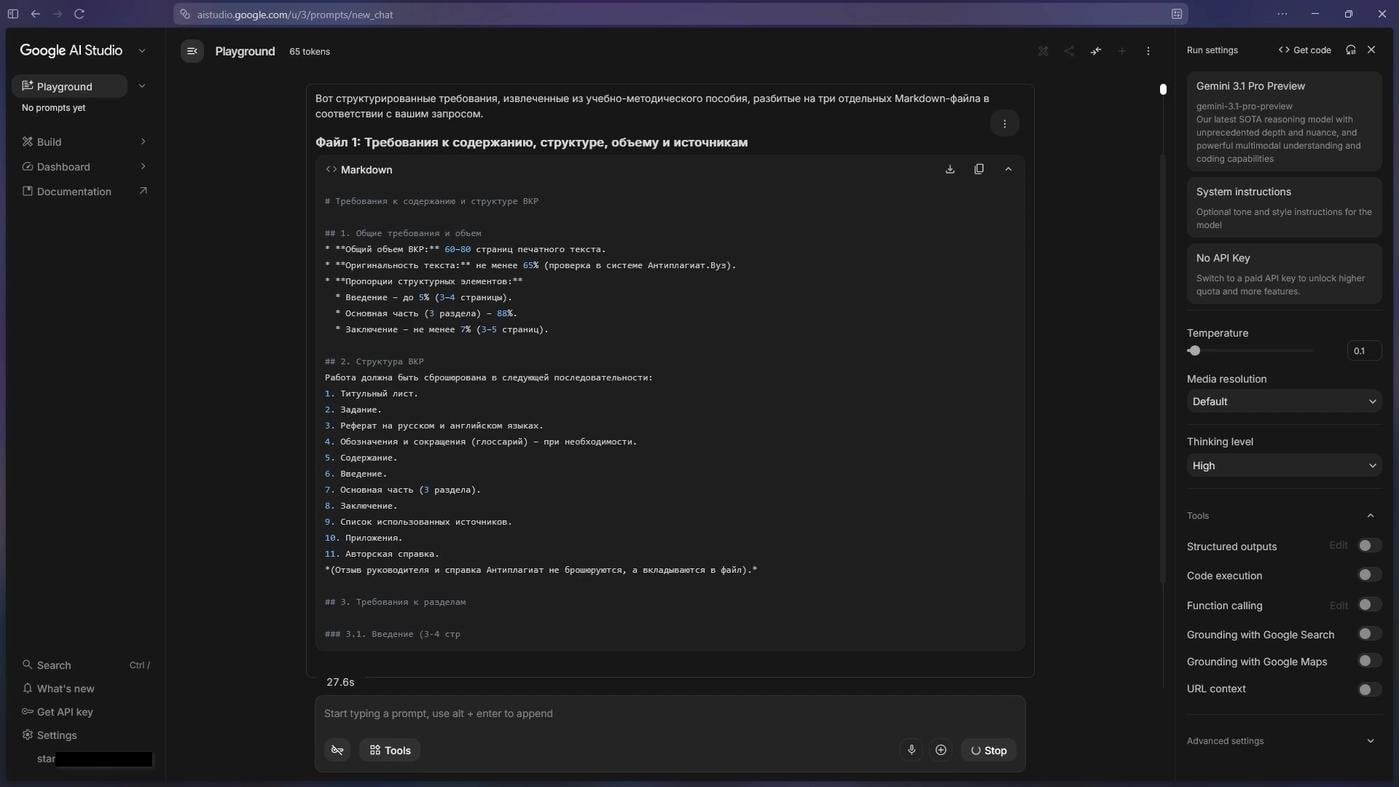
Saved a little
I assembled the structure of the project folders by hand. Rather, with a script. A separate folder for the requirements, a separate one for the search results, another one for the chapters. And a folder for Python scripts, which assembled the final file and did the maths.
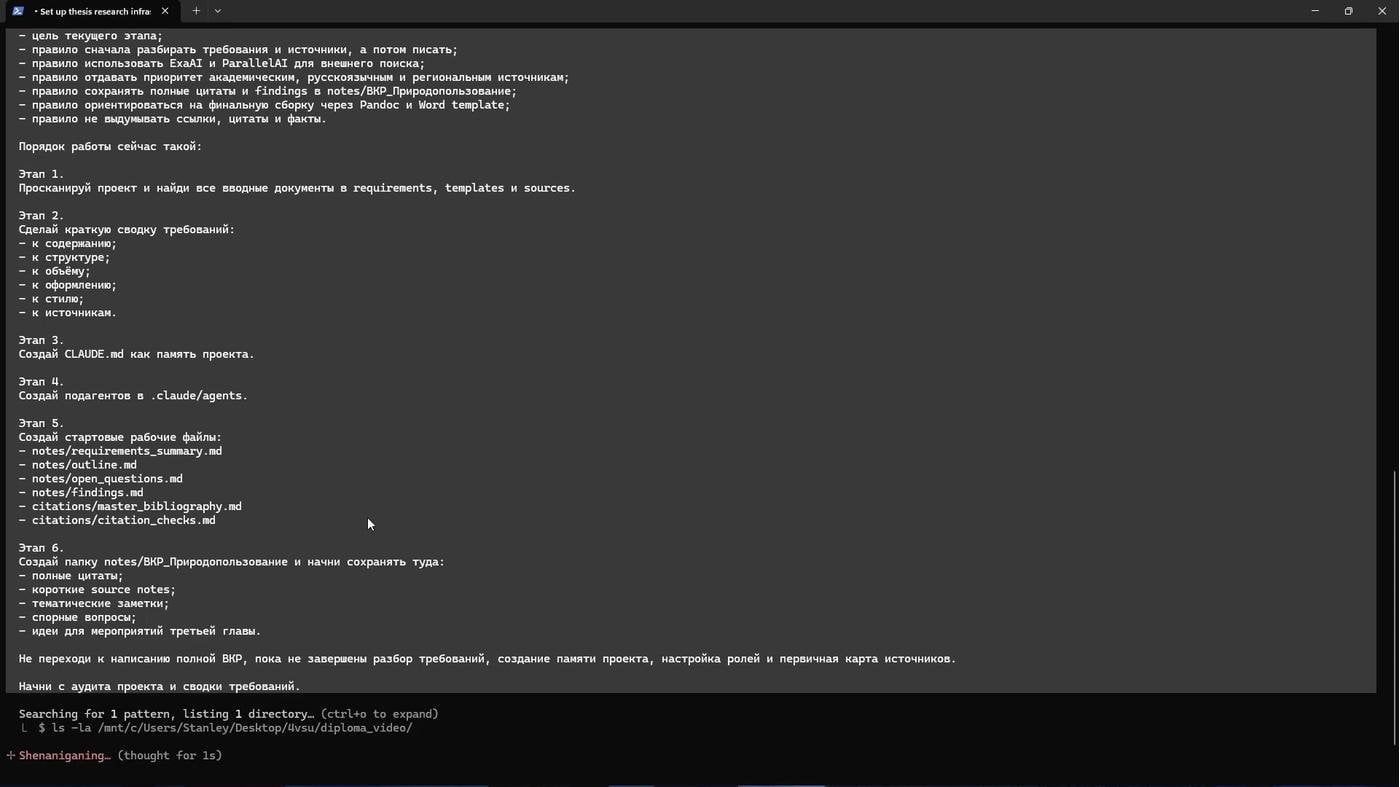
A rather rough recreation of that process
I had a subagent for gathering facts through Parallel AI and Exa AI. I asked it to pay attention to CyberLeninka and eLIBRARY, and to validate what it found through DOI. There was one to help with writing for the genre, with its constraints. And I additionally ran the text against the popular markers of AI generation from Wikipedia through that very humanizer skill.
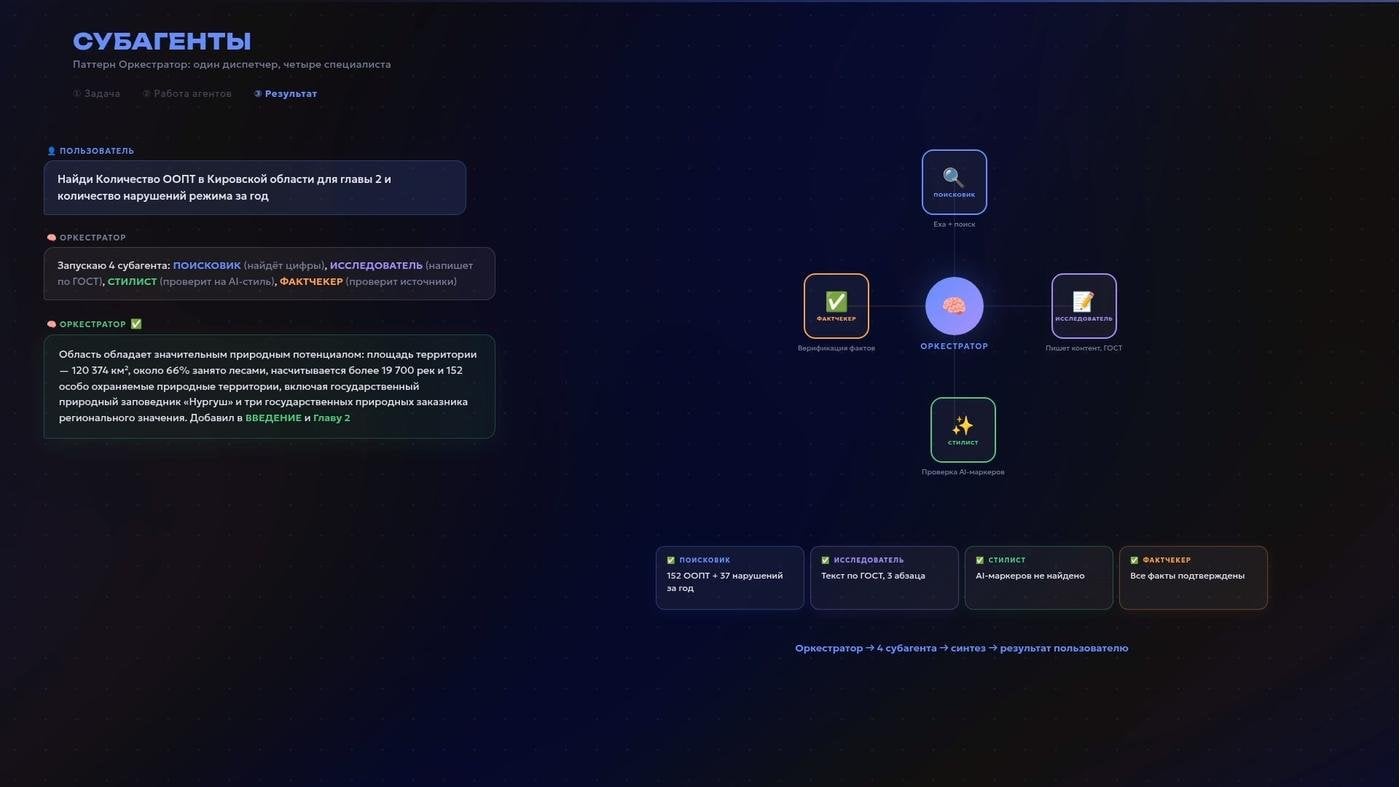
How it happened
In the third chapter I propose shooting VR films about the protected territories of one’s own region, buying XR headsets and travelling to show hard-to-reach nature in schools. For that I needed foreign sources on the effect of immersive technologies on memorisation.
I send off the agent and switch to another task, while it searches, reads, synthesises and comes back with a list of real sources. I read, I accept, or I ask it to dig deeper.
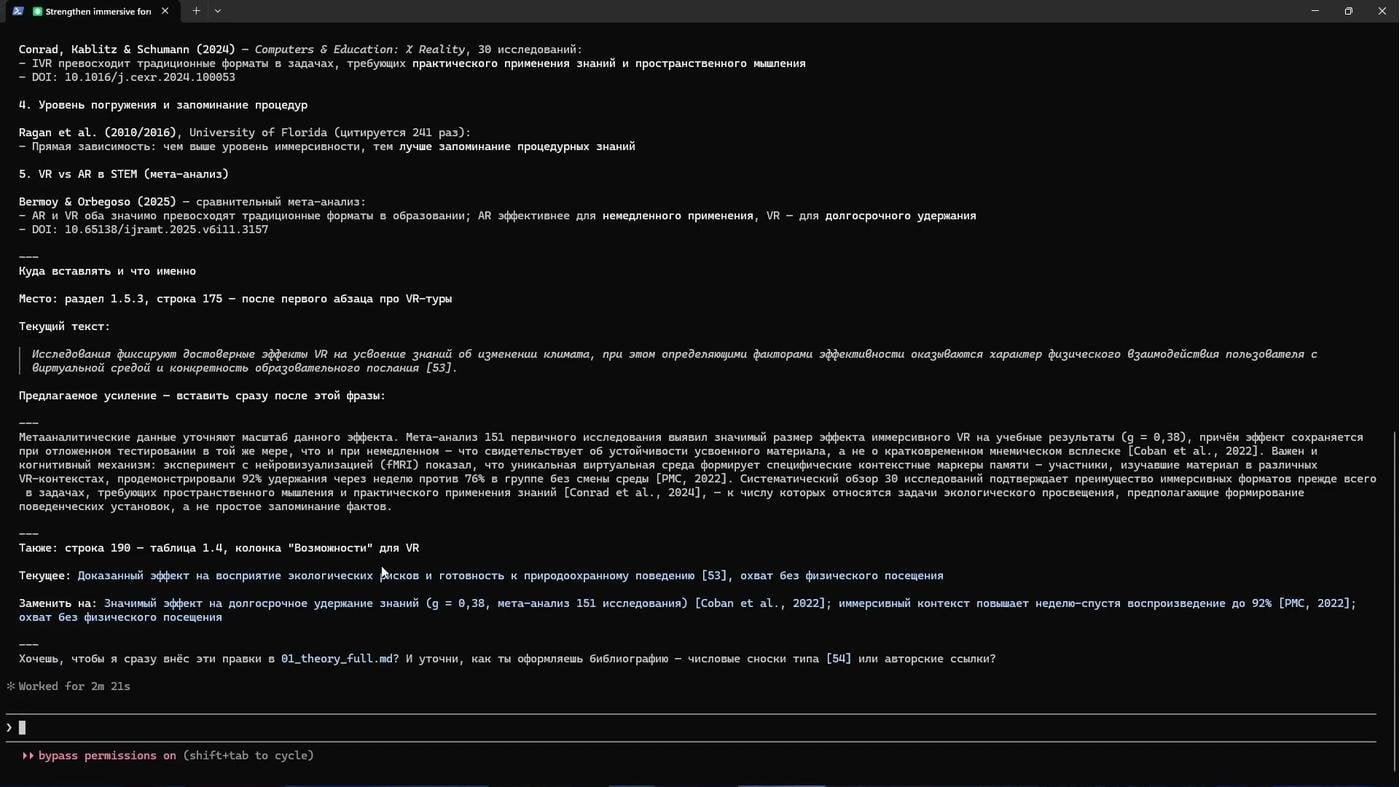
Confirmed the idea of my proposed project with a meta-analysis
One of the measures I propose is creating a Telegram bot with eco-trail routes and gamification of the process of sending in a report about a violation. It had a weak spot from the start: Telegram is already blocked in a number of countries, and talk of blocking it was going on here too. At a defence they could well latch onto that. The agent did not notice it. The human did.
I set the task: research the risks of a block, look at the audience of this one and of those three letters that everyone keeps sending us off to, and propose how we will work with those risks. The agent went away and came back with data. As a result we rebuilt the position: build a Mini App that can also be opened in a browser. The budget does not fall apart because of that.
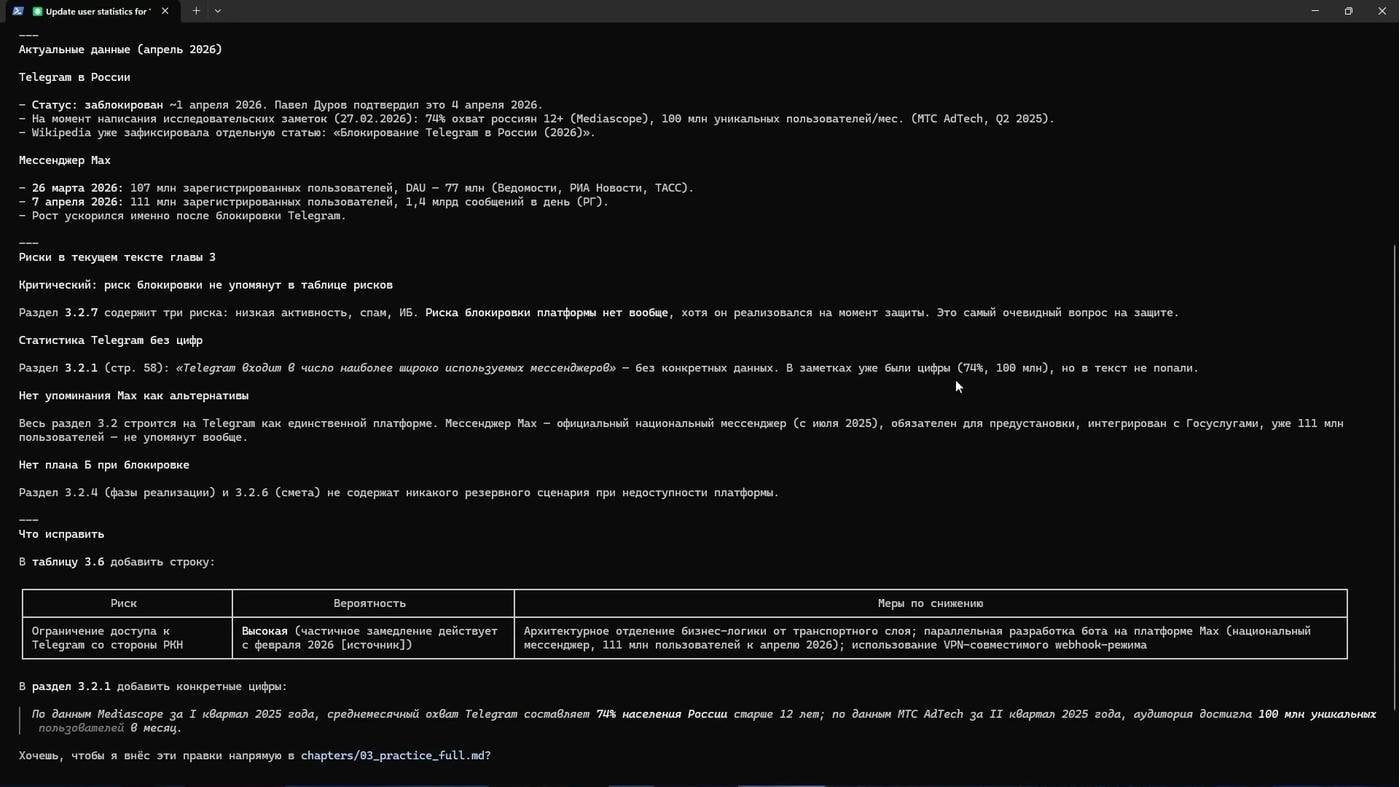
A dilemma in three letters
This is an example of my main principle. The agent brought data and arguments. The decision was mine. It was not the one who noticed the weak spot either. I am that very “human in the loop”, though not yet in the literal and sad sense of the phrase.
Every change was recorded in git. It is like saving before a boss fight, so that instead of a pile of final_final.docx files there is a normal history. I was even surprised at how convenient this is for a natural language, just as much as for programming languages.
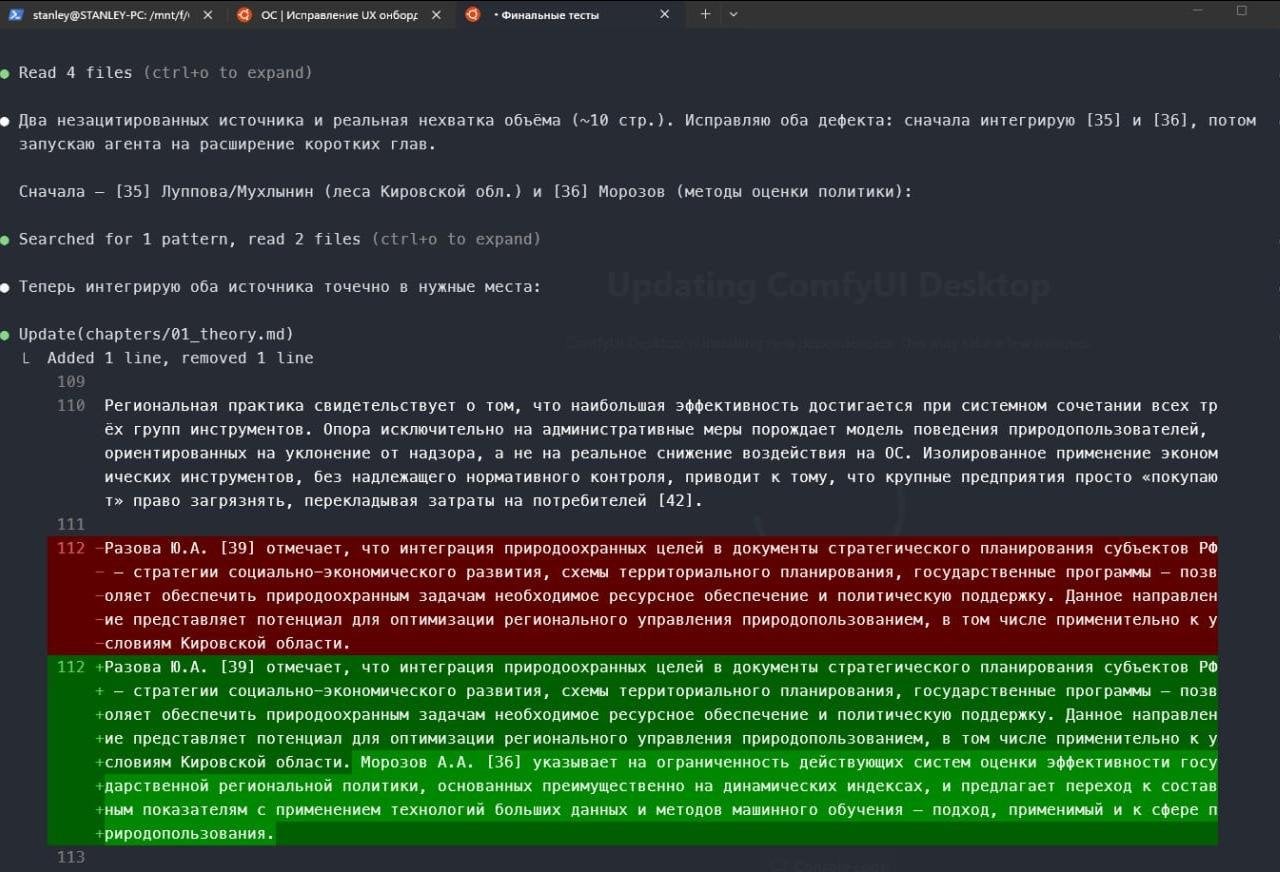
How Git feels for a natural language
Paul Goldsmith-Pinkham, a professor at the Yale School of Management, in his series of posts on Substack about using coding agents for empirical research, advises periodically saving the current progress into a separate progress.md file and starting a fresh session, to avoid degradation of the answers and to stop running into the context window. I second that: the built-in compact command does not always give as clean a result as a new, fresh session.
In the second chapter I needed a diagram of the org structure. I sent the agent to the official website of the place where I did my pre-diploma internship, to the “Contacts” section, and asked it to create the diagram right in markdown through Mermaid. Then it is easy to convert into a picture. And the agent assembled the data tables from sources that were uploaded into NotebookLM and taken back out through a community CLI solution. Here it is again worth double-checking the maths with Python, and making sure there is no porridge of percentages and percentage points on neighbouring lines.
My whole work was in markdown. The output had to be Word with GOST formatting. I asked the agent to write an assembly script with Pandoc: it glued the text together in the needed order and assembled the final .docx with one command, checking the formatting against the template of some old coursework of mine. With the presentation for the defence it was roughly the same story: from the handbook’s requirements and a recording of a webinar we worked out the structure of the talk, the number of slides and the need to lay it out in 4:3. I spoke my wishes and emphases to the agent, and after some time got the draft text and a PowerPoint file separately.
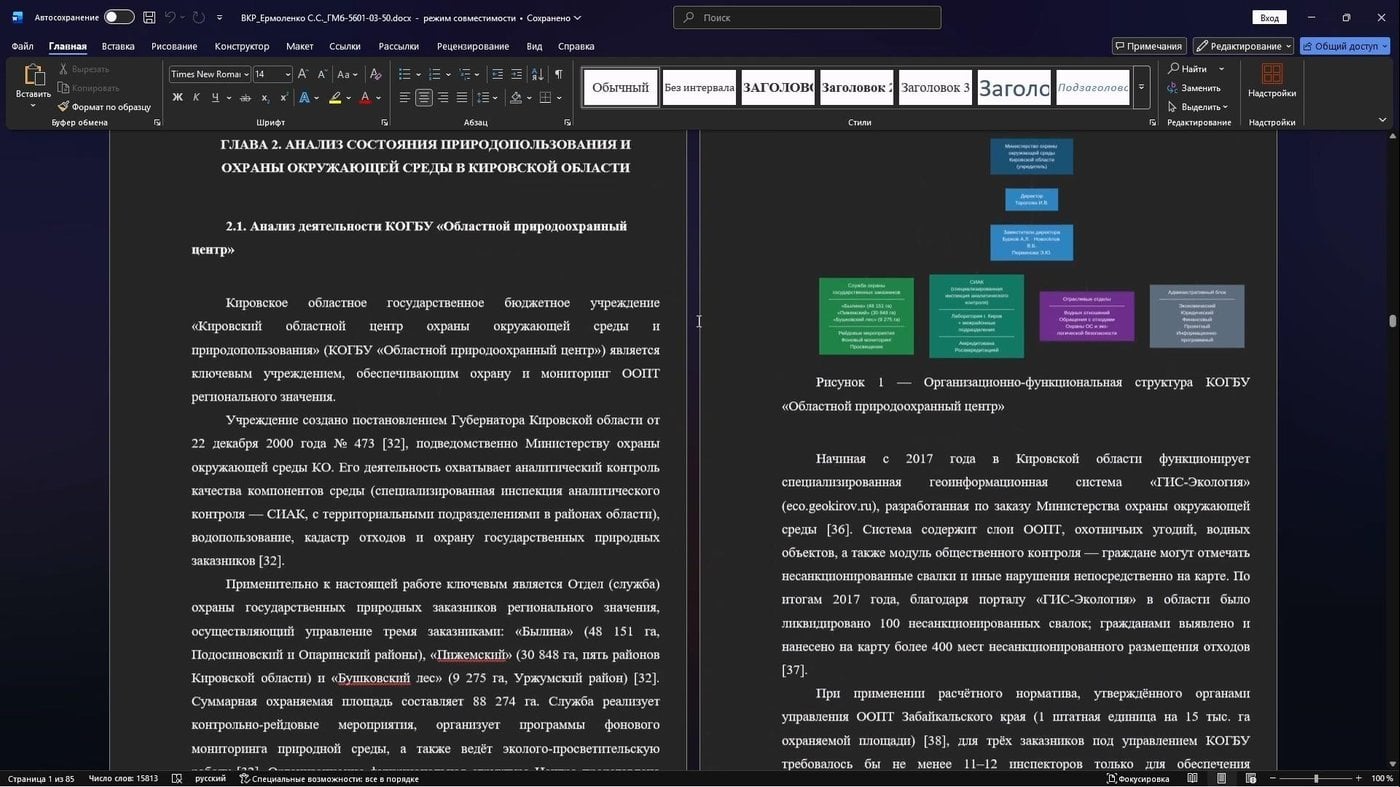
Mermaid went in as a picture. And the cross-references work!
Claude now has a direct integration and ready-made skills for working with and in Microsoft Office. Just in case you are still frightened. And if the work is more about formulas, it makes sense to use LaTeX or Typst.
That is how what I started with came about. The thesis was defended with top marks. Word really was barely opened, and it turned out to be more convenient to give edits by voice.
And I definitely did not discover anything new here about the use of agents. A search through GitHub turned up an open repository by Alessandro Caforio from Bocconi, who defended a master’s thesis with a similar architecture. And Qiongli, with the same principle packaged into a ready-made order of work. They have even fewer stars than my posts and stories, but taking a look, and possibly taking inspiration for something of your own, costs nothing.
Human in the Loop: architect or cheater?
Is all of this honest and ethical?
Every decision in the work, the lucky ones, the botched ones and the debatable ones, was mine. The agent proposed options, and I studied them, accepted them, or sent them back for rework with my comments and additional tasks. That is why, at the pre-defence review and at the defence itself, I answered any questions about the content of the work without any trouble.
The ideas in the chapter with the measures are mine too, and closely tied to my own interests. But I strengthened those ideas with AI. Roughly the way stand-up comedians pump up material with a comedy buddy.
If we go into debatable analogies… a good architect does not lay every brick himself. He designs the construction, chooses the materials, checks the calculations, and answers for the result. The tools can be anyone’s, the decisions are mine. The committee looks at the project, not at who mixed the mortar.
My thesis was not written instead of me. It was assembled in a system where sources, notes, voice and agents worked together. And that, it seems to me, is the very skill worth mastering right now: not asking a neural network to do it for you, that is a dead end, but building a system around yourself where it is easier to think, simpler to check, and there is less chaos.
I do not want to sell you Syeroyezkin’s dream, where the robots toil away and the human is happy doing nothing. In my view, this is not about that. You do not stop working. Time is simply freed up to reach for the tasks that earlier there would not have been the hands or the strength for.

Drew it in ChatGPT; on this old tower, all right, a bell tower, the clock strikes too
According to an Anthropic survey, among their engineers about 27% of tasks they would not have started at all without AI tools. Not “sped up”, but “would not even have started”. And that, it seems, describes what is happening most precisely. Time is as “short” as ever, and for happiness a person would like to go back somewhere around 2019.
On the other hand, in 2026, with access to the tools and an inquiring mind, you can manage a lot of wonderful things. When I was a schoolboy, if the family budget allowed it, I went to HTML courses. Back then, the very thought that you could really learn to make your own website seemed something incredible.
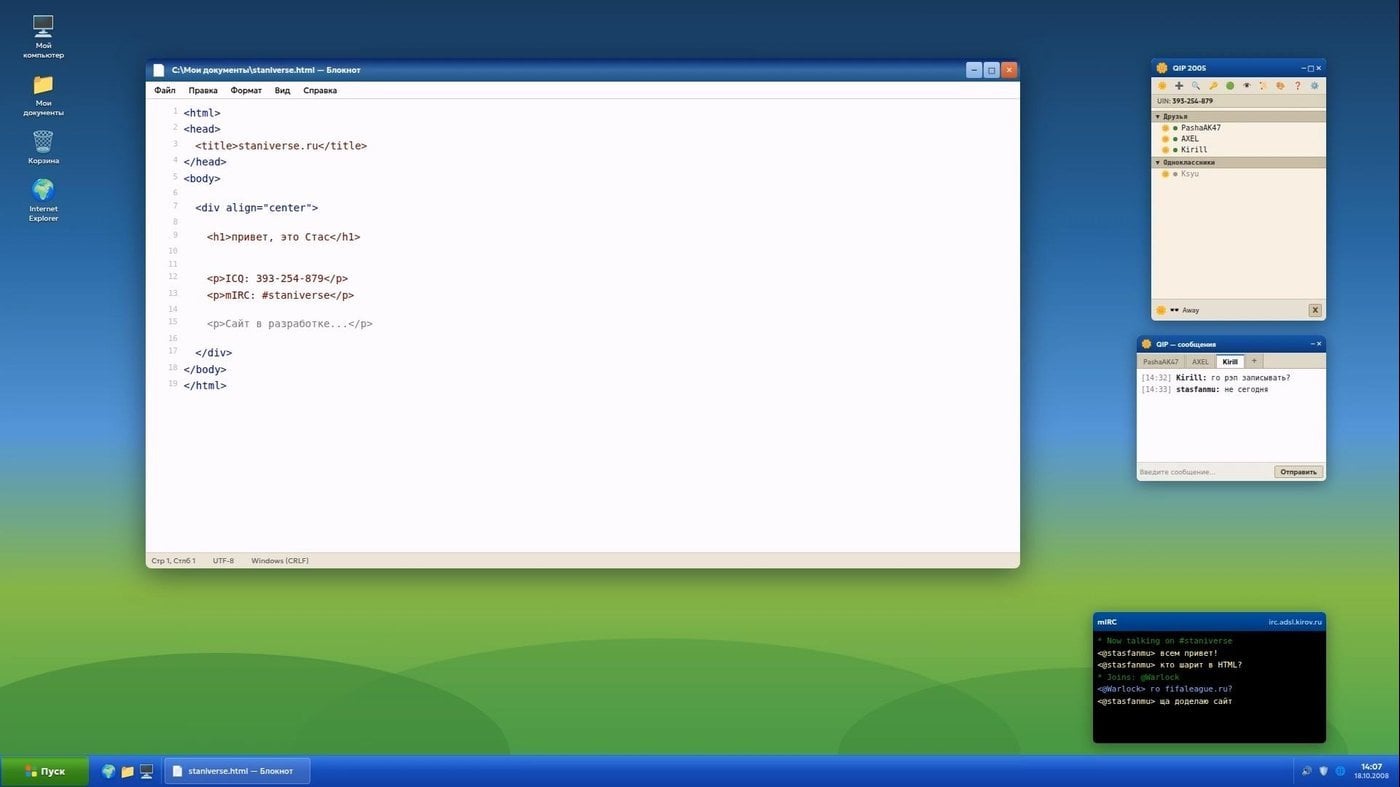
That was a long time ago, of course :(
Today kids of ten to twelve know perfectly well how to get into Roblox in spite of any blocks. And what is especially pleasing is that after a couple of academic hours of lessons with someone like me they already build their first landing pages with mini-games, which look far better than my first pages, where so much time went just into finding the missing closing bracket. And it also turned out to be a great idea to take school textbooks and ask LLMs to turn the lessons into HTML games.
Against the background of everything going on, things like this inspire me, for some reason. I hope they inspire you too.
On the topic of creating AI companions and virtual interlocutors I have one more big piece: AI waifus for 14 February, an instruction manual for use (and creation).
That is about it. Thank you for reading to the end.
From Vyatka, with love