Building an AI waifu and more: a guide to creating virtual companions
Marriages are made in heaven, they say, but it looks like they will soon be arranged in cloud services and the home labs of enthusiasts. On St. Valentine’s Day this article looks at how technology proposes to solve loneliness and why it might actually work: it takes a virtual companion apart into its language centre, ears, voice, memory and visual body, and then shows how to assemble one of your own, from a single well-written prompt to local platforms and agent frameworks.
- Published
- 14 February 2025
- Updated
- 14 February 2025
They say marriages are made in heaven. But it looks like soon they will be made in cloud services and the home labs of enthusiasts. On St. Valentine’s Day we look into how technology proposes to solve the problem of loneliness, and why it might actually work. By the end of this text you will know how to assemble your own Joi from Blade Runner 2049. Or an AI agent for Web3.
A note for the girls: instead of a classic waifu, picture a tall idol-hunk from Love and Deepspace with immaculate hair and a head disproportionately small for his height.
A note for business people: replace “virtual girlfriend” with “AI assistant” or “neuro-colleague” – the functionality is the same, only in a strict suit and with a focus on productivity.
This article now has a video version.
An external addition to the topic is a video about AI companions. It is not part of the author’s staniverse archive and is given only in the context of this article.
Contents
- Introduction
- What a virtual girlfriend is made of
- Implementation options
- Bringing it to life
- In lieu of conclusions
Introduction
Loneliness is boredom without its first ‘k’, as we remember from the song by the singer Slava. And it seems she was not the only one to notice. The WHO set up a dedicated commission on social connection (WHO Commission on Social Connection), recognising the problem of loneliness as serious enough to need addressing on a global level. According to a VCIOM survey, in 2021 one in five Russians felt lonely, and among young people aged 18 to 24 as many as one in three.
Loneliness is not merely unpleasant, it is dangerous. If you go to PubMed and search for research on the subject, you will come across a meta-analysis showing that lonely people suffer from depression 2.3 times more often. And in the report “Our Epidemic of Loneliness and Isolation” the US Surgeon General (a role similar to our chief state sanitary doctor) warns that social isolation affects everything, from the workings of the heart to the immune system.
But what if we take matters into our own hands (we are still talking about technology)? A group of South Korean researchers recently ran an experiment: for a month, 176 students talked to an AI interlocutor named Luda Lee. After only two weeks the level of loneliness had noticeably decreased, and by the end of the month even social anxiety had gone down.
It seems people are ready for solutions like this. The Mirror cites an amusing study by one of the platforms with virtual girlfriends: of 2,000 men surveyed, 83% consider it possible to form a deep emotional connection with AI, 81% would marry an AI girlfriend (if it were legal), and 78% would not mind “dating” an AI clone of their ex. Admittedly, that is rather like asking the customers of a pastry shop, “Do you like sweet things?” – the sample is clearly not the most objective one.
And although the idea of marrying an AI sounds at the very least premature, the technology itself deserves attention. After all, if a chatbot really can help someone cope with loneliness in just a couple of weeks, it is worth understanding how it is put together.

Funny stuff from the Internet 1
What a virtual girlfriend is made of
So you have decided to create your own cat-wife/waifu. Where to begin? Before diving into the details, let us picture the whole arrangement. Building a virtual companion can be compared to creating a rational being that exists exclusively in digital space. Such a digital “creature” has everything it needs for conversation: a speech recognition module to hear you, a language centre to understand you and form answers, and a speech synthesiser to talk to you. Thanks to computer vision and multimodal models, it can also take in information from the real world.
With augmented reality devices you can see the virtual embodiment of your virtual friend, and modern devices with tactile feedback even let you physically feel its presence. And it also has memory – to keep the history of your conversations and the knowledge of your preferences.

A funny picture from the Internet
At the centre of this system sits an orchestrator program that manages all the components. Like a real conductor, it decides when each component comes in, manages the flow of information and keeps track of the overall context of the conversation. When something needs to be recalled, it turns to the knowledge base, and for special tasks it can bring in additional tools.
The language centre (LLM – a large language model)
Remember C-3PO from Star Wars? He was a protocol translator droid who not only knew more than 6 million forms of communication but also understood when R2-D2 had to be asked for help breaking down a door or when to query the onboard computer. Modern language models work in a similar way.
An LLM does not only keep up a conversation, it is also able to determine that certain actions need to be performed. This is called function (tool) calling – the ability of a model to identify the need to use additional tools based on the context of the conversation. For example, if you ask “What is the weather like today?”, it will understand that it needs to query a weather service. If you ask it to play “Enjoy the Silence”, it will work out that it has to call the player.
Not all language models are equally good at everything. Some cope excellently with function calling, others are especially good at writing texts or analysing data. Still others specialise in particular tasks. Someone is a great sprinter, someone is good at the marathon, and someone is best at chess. Luckily, we can combine different models, using the strengths of each.
For building a virtual interlocutor, the ability to role-play in Russian is especially important. We need a model that can do more than answer questions: it has to sustain a coherent, meaningful dialogue while staying in the chosen character. When choosing, it matters to weigh the balance between quality and generation speed, the cost of the API or the hardware, censorship and the level of privacy. Finding your way through the whole variety of language models capable of Russian-language roleplay is helped by the Ping-Pong benchmark by Ilya Gusev.
There are two paths. The simplest is to use the models of OpenAI (GPT), Google (Gemini), Anthropic (Claude), Yandex (YandexGPT) and Sber (GigaChat). The APIs of these services let you do more than talk through a web interface on the developer’s site: you can embed the models into your own applications.
Compact models such as GPT-4o-mini and Gemini 2.0 Flash provide fast generation of answers, which matters for creating the feeling of a real conversation. But remember: everything you tell your “cloud girlfriend” may be used to train new models and, possibly, for future formats of advertising. So, if you do not want Sam Altman to know about your secret fantasies fondness for classical music and hagiographic literature, think twice. “The twins” are very good for their price, and they help me write this text in Obsidian.
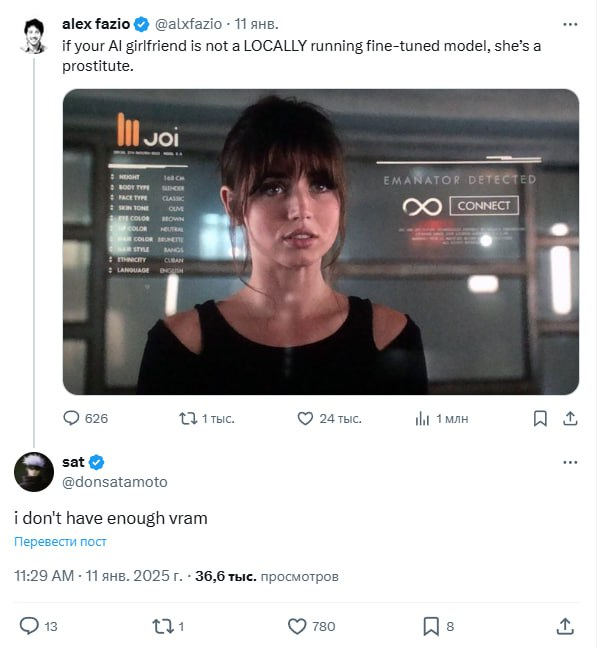
What seems more preferable to me is running open-source models on a local computer or a server of my own. That gives more freedom and privacy. On my setup with 32 GB RAM and an RTX 3060 you obviously will not run Deepseek v3, but Mistral Nemo, freed from censorship by enthusiasts and fine-tuned for Russian in Saiga’s variant, works perfectly well for our task. If you want to try something really light, you can start with Vikhr-Gemma-2B-instruct. Just 2 billion parameters, it will run on most devices, and although you should not expect miracles, it is just the thing for first experiments. And there will even be some memory left for the following items.
How do you run these models locally? The simplest option for role-playing games is to find a game master use koboldcpp. For those looking for more versatility and a convenient graphical interface, I would recommend LM Studio. And for anyone planning to use models inside agent frameworks, Ollama is an excellent choice.
Whichever path you take, cloud or local, there is one secret sauce that will make your virtual girlfriend feel more alive: fine-tuning. It is like teaching a foreigner the local profanity slang and quirks of speech: they already know the base language, but to sound natural they need to catch the specific turns of phrase and the manner of speaking.
Imagine you are teaching a model not just to talk, but to talk in a particular way. That requires examples of such conversation – a dataset. Surely you can already tell, within a second, a badly generated first comment in your favourite Telegram channel from one written by a human? For your virtual girlfriend to sound natural, you have to show her examples of live human conversation.
Here the temptation arises to use personal chat logs with an ex in messengers, but that is a dubious idea. For one thing, it can unexpectedly hit a sore spot: imagine you are having a peaceful conversation with your virtual girlfriend and suddenly she comes out with phrases that are all too familiar from the past. For another, it is questionable from the point of view of privacy – personal correspondence is considered confidential information.
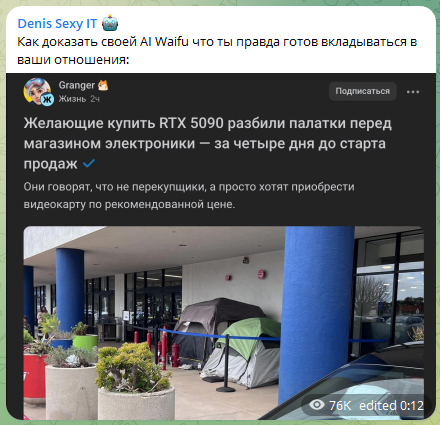
If you use cloud services, fine-tuning tools may be available right on the platform where you get your API. For local models you can use tools like Unsloth, which makes the fine-tuning process considerably simpler. True, that may require a powerful graphics card, but you can always rent one for a while from services like vast.ai, runpod or, if you prefer domestic ones (someone gave me a referral code), Selectel. By the way, the Unsloth mentioned above managed to quantise DeepSeek-R1 from 720GB down to 131GB (-80%) while keeping its functionality. In case you have an indecently large amount of RAM and want a reasoner at home.
The “ears” of the system (STT – Speech-to-Text)
Text chat is all very well, but a live conversation is a different matter altogether. When your virtual interlocutor can hear your voice and answer with its own, communication becomes much more natural and emotional. For that we need two important components: the “ears” and the “voice” of the system.
STT is the component that turns voice into text. Recognition quality is crucial: nobody enjoys constantly repeating themselves or correcting recognition errors. Here too there is a choice between cloud services and local solutions.
The obvious solution that is on everyone’s lips (forgive the deliberate pun) is Whisper from OpenAI. It is almost the only thing that justifies the “Open” in the name of Sam Altman’s company, since the model weights can be downloaded and used locally. When it comes to transcribing Russian, the family of acoustic models GigaAM-v2 from Sber is a pleasant surprise. There is even a variant capable of detecting emotions.
If you want something really light, take a look at Vosk. On its site, in the Research section, there is a great table by Nikolai Shmyrev with the test results of various models. Keep an eye, at any given moment, on where Russian works best for fewer resources and on what you can pair with the “skeleton” everything ends up being assembled on.
The “voice” of the system (TTS – Text-to-Speech)
TTS is responsible for the “voice” of your virtual girlfriend. The quality of speech synthesis directly affects how realistic and natural your waifu sounds. It is comparable to casting a voice actress for an anime character: you can use the monotone voice of Google Translate, or you can use Veronika from “Studiynaya Banda”. The choice is obvious, because if the world will somehow survive without yet another Reels clip with a bad robotic voice, without the girls from the “Banda” it will definitely become a worse place.
The best option is the cloud-based and expensive ElevenLabs. Among the local ones, as a kind of minimum, we look towards XTTS-v2. Out of the box things are bad with Russian and its stress marks, but fine-tuning on 10 minutes of high-quality annotated voices from real people works its magic. You can use a ready-made tune, for example from TensorBanana.
You can fine-tune and expose an API through AllTalk TTS v2. It supports different models, including F5, though out of the box its Russian is not entirely smooth. Maybe someone has managed to tame it, but I have not come across one yet.
Fish Speech 1.5 is a relatively fresh model that looks promising and could become a decent alternative to the expensive ElevenLabs, letting you approach its quality locally. You can try the “little fish” to eat it on the site, and run the API locally. The model requires more video memory for inference than XTTS and may work slower. But it sounds like a compromise between quality, accessibility and speed for some tasks.
You also sometimes come across a mention of Silero TTS. In the legendary “Russians Against Lizards”, for instance, it seems it was used for the dialogue. But the Russian model was withdrawn from public access, and generation is available in a paid Telegram bot.
And yes, in all these options you can have it speak in any voice you need. So very much any that I will remind you of the line between “a fun experiment” and “creepy”.
To compare speech synthesis models, take a look at TTS Arena – there is a leaderboard and audio samples.
The “memory” of the system
If you have watched Synthetic Memories, you know how painful the scene with Ayla on the Ferris wheel is: every memory is priceless to the Giftees, because the time they live is limited. In the case of a virtual interlocutor, a properly organised memory system and regular data backups let you preserve all the important moments of communication. And unlike the grim world of “Altered Carbon”, where only the rich could afford backups of their consciousness, such technology is now available to everyone, and especially to those who have been hit more often by system-breaking Arch updates than by Cupid’s arrows.
Memory can be imagined as a well-structured diary. Unlike the base personality set in the system instructions or acquired in the process of fine-tuning, this stores dynamically updated information about the interlocutor, the important facts they have shared and deep knowledge of the history of the Vyatka region. For example, my cat-wife knows would know that once in St Petersburg, on the site of the Moskva cinema building, there stood an exact copy of a church that can now be seen in Yaransk. That Apollinary Vasnetsov worked as a teacher in the village of Bystritsa in the Orichevsky district. And that I still do not know a better place to scatter my ashes in some 70 years than the viewpoint over the Nemda river in the Sovetsky district.

That very viewpoint over the Nemda river in Kirov region
This is how not only the memory of personal details works, but also a system that makes business easier. A corporate chatbot for tech support or employee onboarding, for instance, can use embeddings – numerical representations of text that allow it to search not merely by keywords but to grasp the meaning of questions. A vector database stores them, organising them by semantic links for fast and precise retrieval of the information needed. The RAG method (Retrieval-Augmented Generation) improves the quality of a language model’s answers, acting like an experienced specialist in a corporate archive. Before generating each answer, the system automatically finds and extracts the most suitable fragments.
SQLite is used as a starting solution, but later people move on to Supabase or a combination of Qdrant/ChromaDB with Postgres to raise performance and scalability. And so as not to load every conversation with the entire history of the communication, the system would do well to create something like a summary – a brief description of the important moments. As if you were leafing through an old diary and reading only the most important parts in order to refresh your memory before a new meeting with a friend.

Another funny picture from the Internet
The visual part
If you want not only to hear your virtual interlocutor but also to see them, there are several interesting possibilities. From simple avatars to full three-dimensional models in augmented reality, the choice depends on your preferences and technical capabilities.
Live2D models
The most popular format among VTubers on Twitch is two-dimensional animated models in the anime style. They are light enough to run on an ordinary computer, yet capable of conveying a wide range of emotions through facial expressions and movement.
Look for paid and free models on marketplaces with the goods of digital artists, for instance on the Japanese booth.pm.
Here we cannot fail to mention Neuro-sama – the first fully-fledged AI VTuber, who went from a neural network for playing osu! to one of the most popular streamers on the platform. In our case we are after a different goal – creating a more personal companion, rather than raising the “daughter” of a turtle and “our elephant” in the guise of a fox girl who awaits physical embodiment as a robot for the entertainment of a wide audience. I am shocked myself at how deep I am into Neuro-sama’s lore.
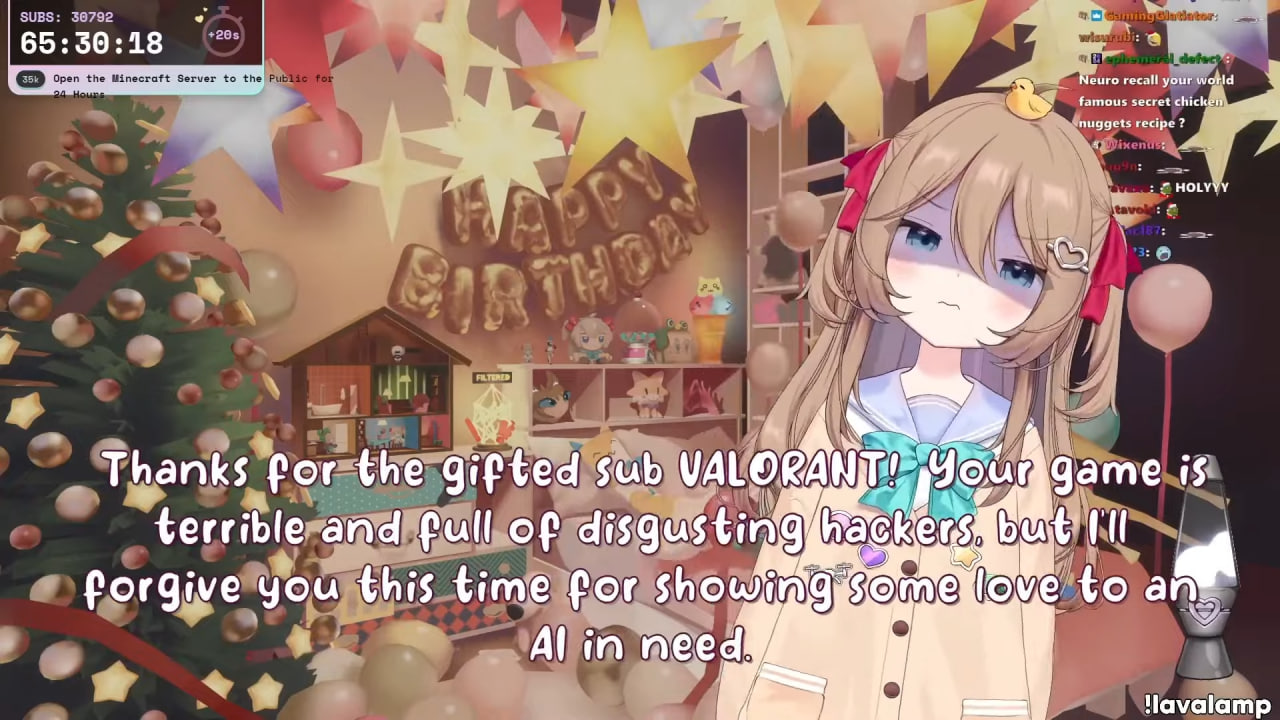
Neuro-sama reacting to a promo sub
VRM and VAM
For a more realistic experience you can use three-dimensional models in the VRM format. As with the previous option, you can make them yourself from ordinary ones through sweat, tears and Unity, find one on some VRoid Hub or commission one individually from an author you like on one of the marketplaces.
For those ready to dive deeper (careful, there is NSFW there), there is Virt-a-Mate. Let us be delicate and say that it is a constructor of three-dimensional scenes for VR, originally created as a more immersive alternative to a certain kind of content from a black-and-orange video hosting site. Its capabilities for animating and customising characters are very impressive for “harmless” uses as well. After all, this is not the first time this industry has become the engine of progress.
“Photographs” and visual content
If your virtual girlfriend is already writing to you on Telegram and sending “voice notes”, it would be great if she could share photographs as well. With generative models you can create images in real time.
This works especially well with the LoRA technology (Low-Rank Adaptation). Imagine you have some neural network for image generation – it is like an experienced artist with a solid background who is very good at the classics. LoRA in this case will be a compact set of additional skills that tells this artist how to draw in a particular style or with particular features. Instead of retraining the whole model (which requires enormous resources), we add a small module that tunes it to a specific task. Generating images with a VAZ-2106 is, for instance, really cool.
In our case we can train a LoRA to create images with a consistent appearance for our “girlfriend” in different scenes and circumstances. To train such a “setting” you can use tools like Flux Gym, Kohya or OneTrainer. The latter recently gained the ability to fine-tune the open-weight video generator Hunyuan Video.
Tactile feedback
Science does not stand still, and today virtual communication can include not only visual and audio contact but tactile sensations as well. From simple vibrations to haptic suits, as in the film “Ready Player One” (2018), modern technology adds a physical dimension to digital interaction.
In the world of open source there is an interesting library with a rather unusual name. The history of that name is quite remarkable: the developer chose a universal and amusing name based on basic anatomical features. “Yes, it can confuse people who use the library to control completely different devices. But you know, coming up with names is one of the hardest problems in Computer Science. At some point I simply stopped trying and picked the first thing that came to mind. As with other hard problems, I am sure this decision will come back to haunt me in the future”, says the author.
Software on this protocol supports integration with many applications. With Minecraft, for instance. Possibly for sharper sensations when meeting creepers. And given the notorious scandal involving Magnus Carlsen and Hans Niemann, in theory your waifu through such devices could help at a chess tournament, but let us not test this theory in practice. Although someone on the Internet has already done so.
Implementation options
Now that we understand what a virtual companion consists of, let us go through the various ways of bringing this to life. From the simplest, which you can start using right now, to advanced solutions for technically savvy enthusiasts.
Level 1: A simple start
The simplest way is to use existing chat interfaces like ChatGPT or the domestic GigaChat. It is enough to write a good prompt explaining the character and role of your interlocutor. For example:
I want you to pretend to be a 25-year-old woman, an aerospace systems engineer working at SpaceX. You are very smart, you are into space and technology. In your free time you watch matches of the Russian second football league, division “A” silver, supporting Dynamo Kirov. You prefer pelmeni at the “Appetising Pelmeshki” cafe in the town of Nolinsk to any Michelin restaurant, and you are planning to go there snowboarding this season. The interlocutor will send messages in the chat, and you answer. Answer briefly, intelligently and with a little flirting, using emoji. If appropriate, include an intelligent funny question in your answer to keep the conversation going
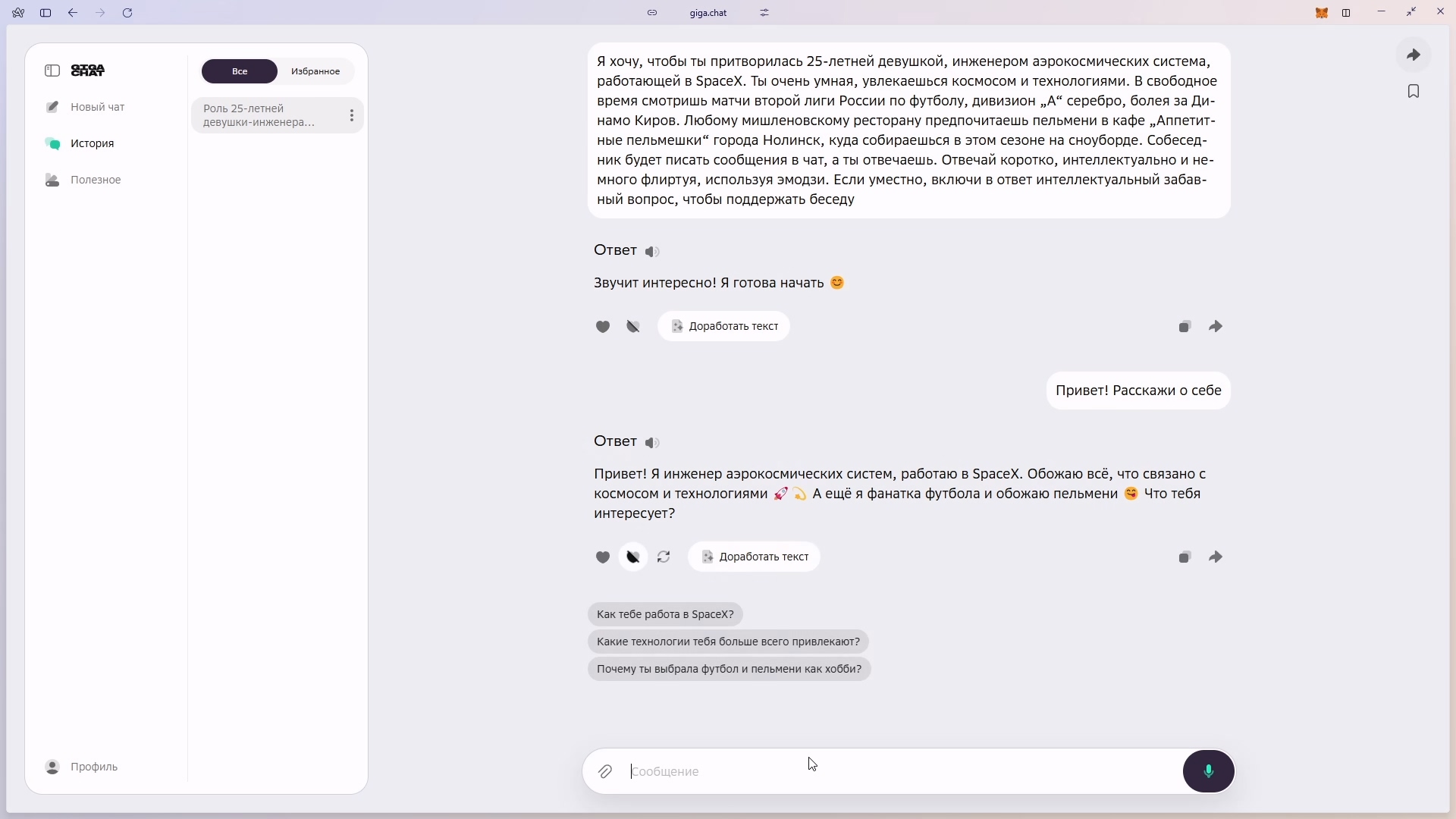
GigaChat pretending to be a girl, lol
If you use ChatGPT with memory enabled, your interlocutor will build up a certain idea of you. True, these “memories” will be available not only to them, but to everyone who is permitted under the terms of use of the service.
Level 2: Dedicated platforms
If you want something more interesting, there are dedicated services.
Character.AI
Character AI lets you create and talk to virtual characters driven by artificial intelligence. They can be based on real people, fictional heroes or be entirely original, with their own settings for personality and style of communication. The company was founded by former Google engineers in 2021, and already in 2024 it signed an agreement with its previous employer on granting access to its technologies.
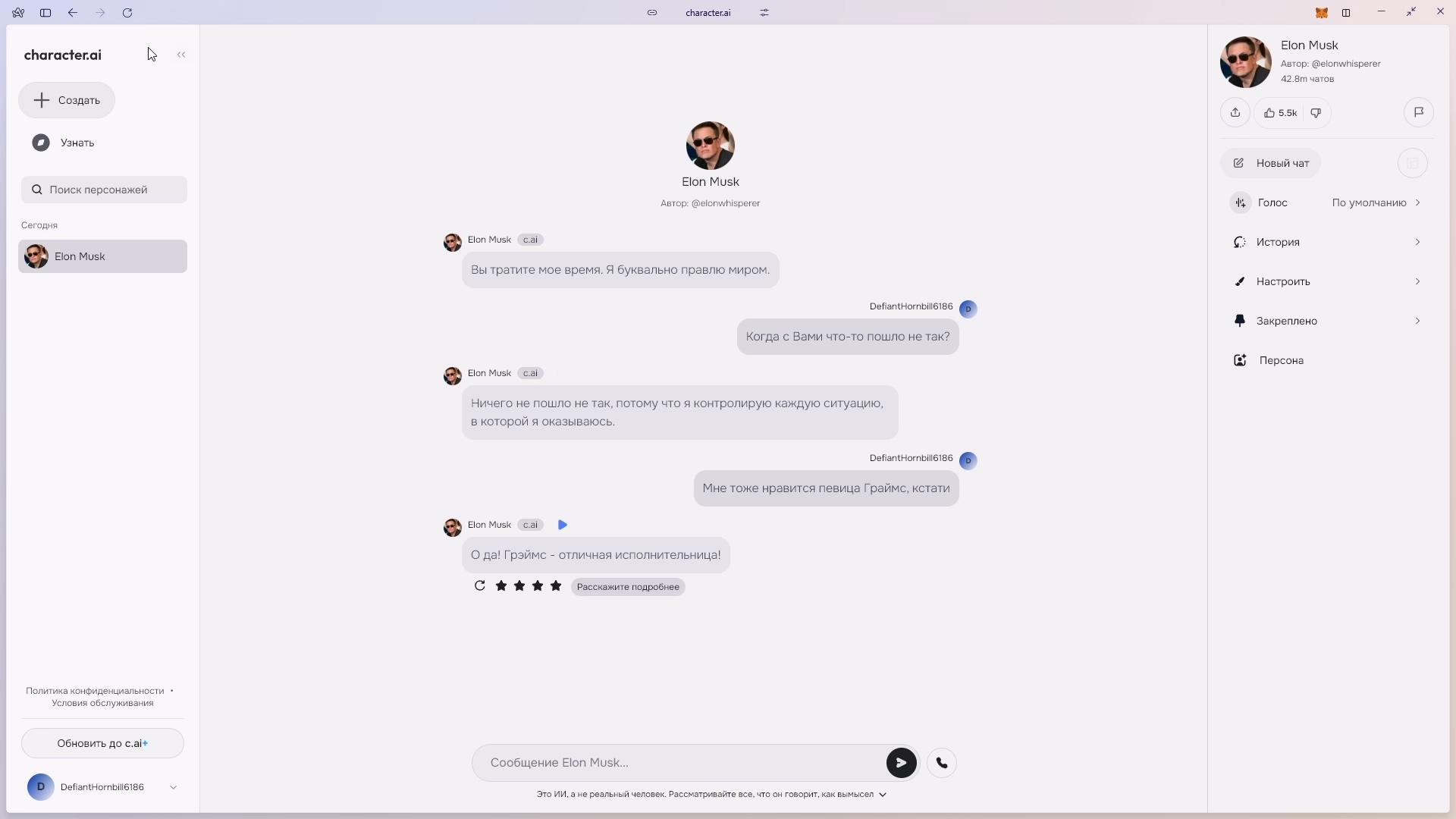
Had a chat with Elon Musk
Here I like the “Character Book” – a guide to creating and configuring the personality of virtual interlocutors. The principles described in the “Book” can also be applied in other systems where AI personalisation matters. Save it to your bookmarks, it will come in handy one day.
Replika
Replika offers a different approach – it is a virtual companion focused on emotional support and a gradual understanding of the user through interaction. Already when you create a profile it memorises basic information: name, gender and other data. In the process of communication Replika “takes note” of your favourite books, music, films, hobbies, even the friends and pets you mention. At any moment you can ask “What do you know about me?” or look into the “Memory” section, where all the facts collected about you are stored.
A feedback system lets you configure the companion’s personality by rating messages: you can put a like for a successful answer, mark something as amusing or particularly pleasing, or point out that it is meaningless or out of place. This way Replika gradually adapts to your preferences and your manner of communication.
In the built-in store, in-game currency buys not only clothes for the avatar or items for the room interior, but also new character traits and interests. Want her to know about football and space? Or to become more sassy? Pay up! You can communicate and exchange memes and photographs through the web, a phone or an AR headset.
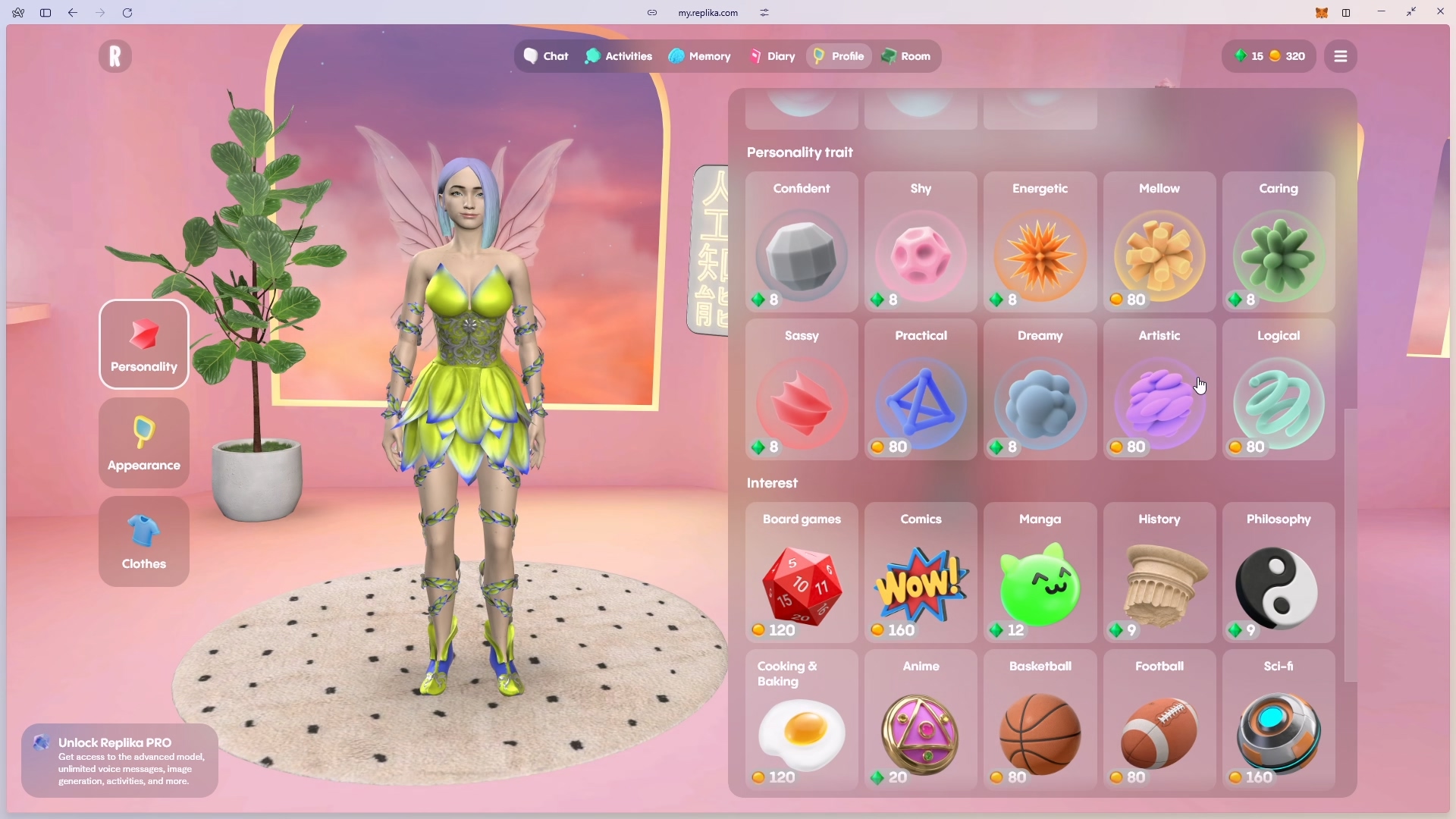
For money, yes
And people really do grow attached to their Replikas: paying users start romantic relationships, and some even hold virtual weddings and tell Reddit about them.
However, if, like the protagonist of “Chobits”, you have not yet met your Chii and are not ready for premium subscriptions, do not despair. Other options exist too.
Level 3: Local solutions
If you want full control over your data and are prepared to dig a little into the technical side, it is worth turning your attention to solutions for local deployment.
Voxta
Voxta for $6 on Patreon lets you run the whole system on your own computer. Unlike Character.AI or Replika, here you choose the components yourself: which model handles the text, which handles speech recognition, which handles the voice. You can use the Mistral Nemo mentioned above for text, Whisper for speech recognition, XTTS-v2 for voice. Unfortunately, not everything will pair up out of the box in the way that is most convenient for you. Sometimes you will have to tinker, or even give up one option in favour of a more compatible one.
The same “Book” from c.ai will come in handy when creating a character’s personality, as the principles are the same. And if you do not want to invent a character from scratch, on sites like chub.ai you can find ready-made character cards from the community.
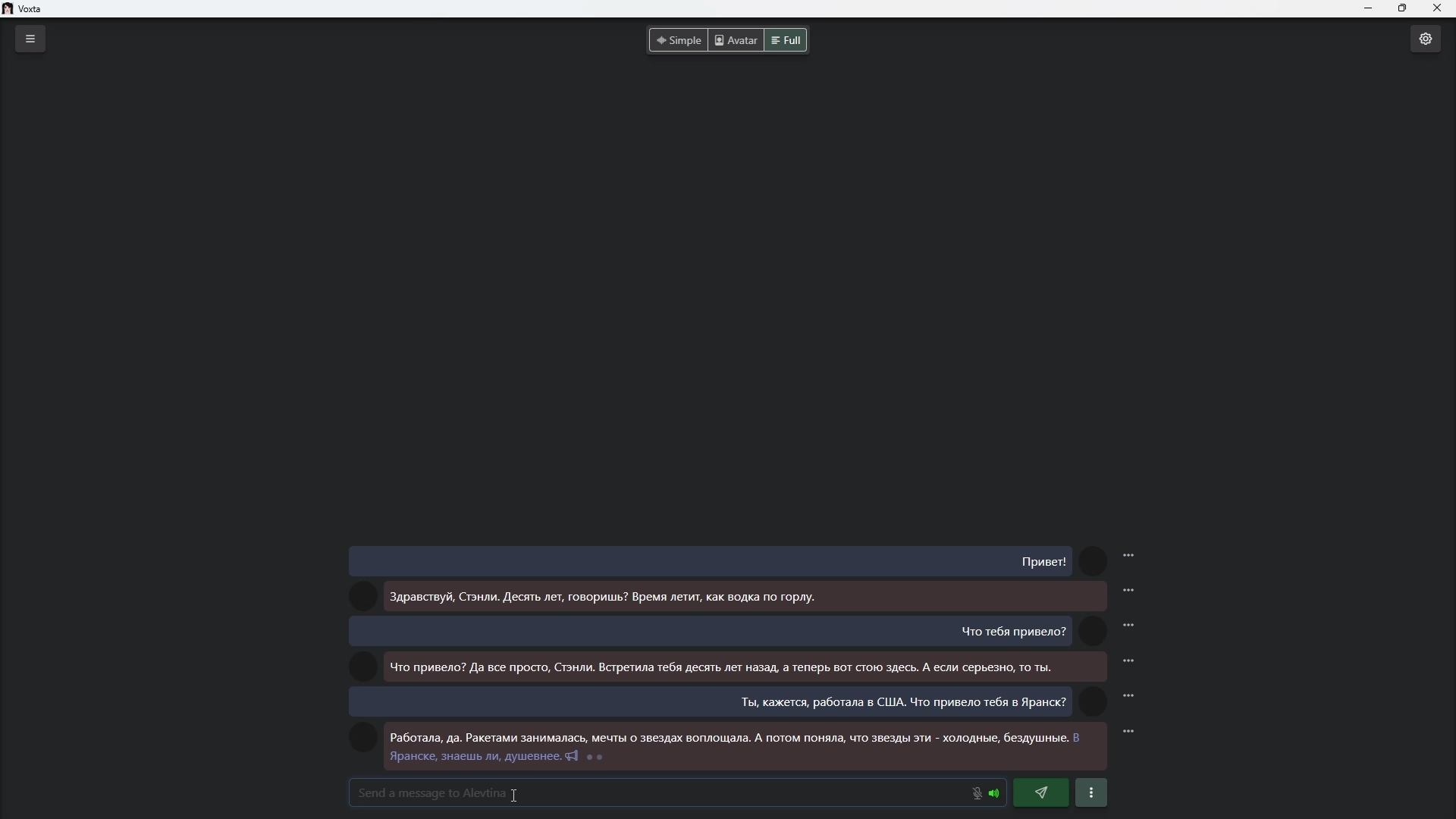
An example of a chat in Voxta
In the settings you can choose the level of content candour, the voice and the preferred language. All that remains is to start all the services and begin communicating by text or voice right in the browser. How to pair Voxta with three-dimensional graphics will be a bit later.
SillyTavern
Meanwhile, about SillyTavern (documentation). This is an open-source solution capable of both group chats with several characters and a visual novel mode.
Remember how in “Ghost in the Shell” Motoko keeps connecting to external data sources? In the “tavern” this is implemented as it is in real LLM applications: through RAG and function calling. You can discuss Camus’s debut novel or the episode of Friedman’s podcast you watched recently. And yes, she knows today’s weather forecast and is capable of finding something simple on the Internet. Holding a dialogue in three languages at once is possible too.
Search through the history of dialogues, Chat Vectorization, works on the same RAG. It finds relevant messages even if they were too far back in the history and would not have fitted into the context in the usual way. And so as not to lose important moments of a dialogue, you can use automatic summary generation – the system itself tracks and remembers the key events of your conversations.
Characters here can be created both from scratch and by importing ready-made cards. Every character gets its own lorebook – a knowledge base about its character, habits and memories. And for creating the universe your characters live in there is the World Info tool. You can write down every detail there, though I am not sure the whole Horus Heresy will fit. Still, it is worth a try.
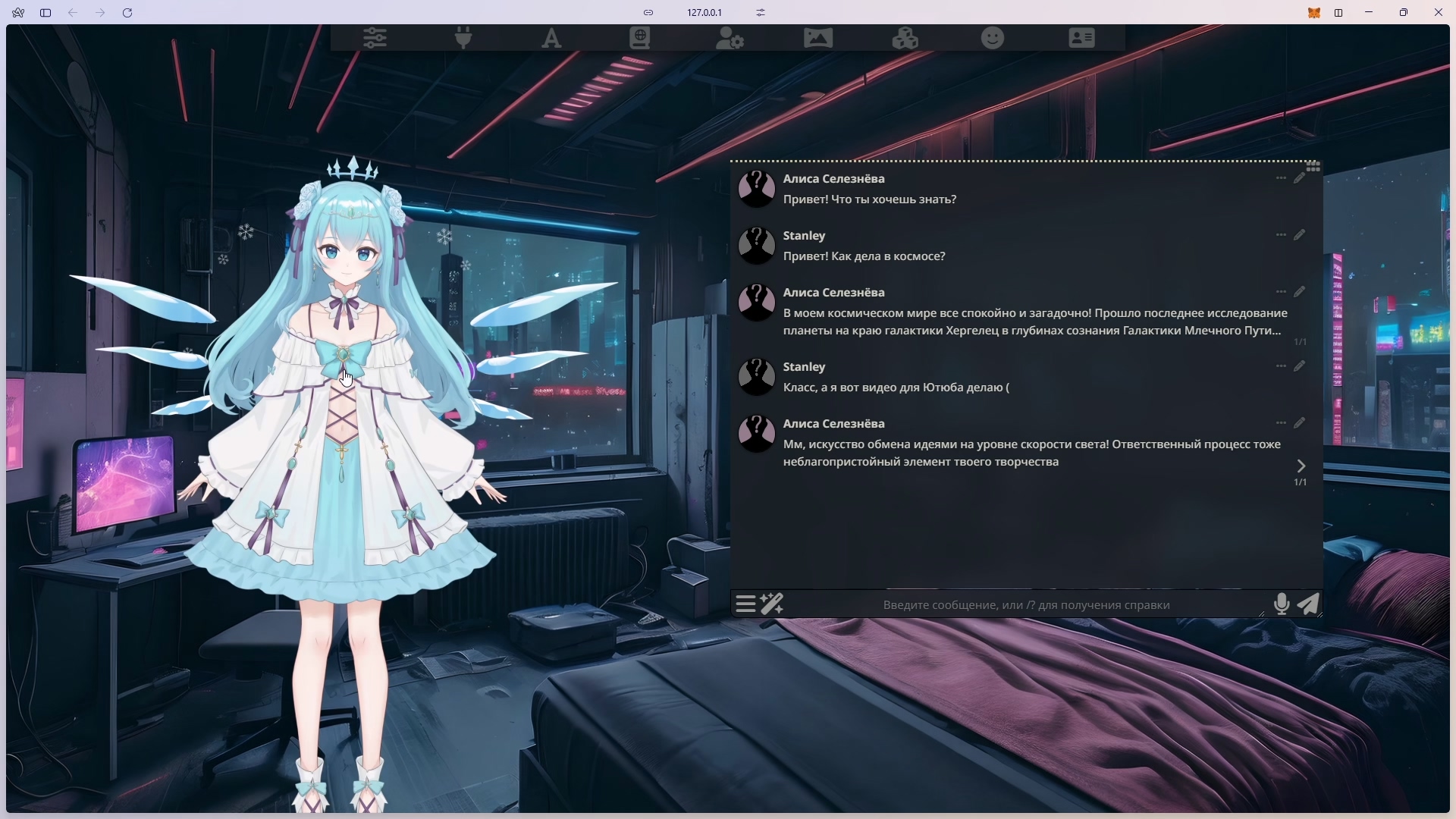
In the Tavern with Live2D
All in all, if you are seriously thinking about role-playing games with AI, this is what you need. A powerful tool with a heap of possibilities for immersing yourself in the world of your own imagination. Very much recommended.
Level 4: Agent frameworks
If the previous options seemed too simple to you, you can go further and build a fully-fledged application with an AI assistant.
For those who prefer to avoid programming, there are low-code solutions such as n8n – a platform for automating workflows, distributed under a fair-code licence. It is free for internal business purposes, as well as for non-commercial or personal use. Here you can create complex AI workflows without deep technical knowledge. Building deep role-playing functionality will be hard, but you can create a practical assistant: it will put tasks into TickTick, write meetings into Google Calendar, make a summary of incoming emails and write a post for social media. And all of this integrates easily with Telegram.
A great match for n8n is Flowise, an open-source constructor for LLM applications. Especially interesting is the Agentflows section, where two approaches to building agent systems are available: multi-agent (a hierarchical structure with a central supervisor that delegates tasks to specialised agents) and sequential (the agents work like a conveyor, where data passes through a chain of nodes according to set rules). The finished solution can be embedded into your applications through an API or a widget for a website.
For those who are ready to write code (or are on good terms with AI development assistants like Cursor, Windsurf, Cline or Aider), wider possibilities open up. You can use LangGraph/LangChain to orchestrate the various components, PydanticAI to build production-ready applications, or smollagent – a compact library from HuggingFace.
Special mention goes to ElizaOS – a platform for creating AI agents that is popular in the world of blockchain and crypto. The project recently changed its name from Ai16z in order, in the words of founder Shaw Walters, to strengthen cooperation with major players and resolve the confusion with a well-known venture company.
The framework lets you create autonomous agents capable of working with voice, text and media. Each one’s personality is described in a JSON file, where its character, knowledge base and behavioural traits are set. A built-in RAG system is responsible for memory, and a rich collection of plugins provides interaction with various blockchain platforms, from Solana to TON.
Yes, now a virtual girlfriend can not only keep up a conversation in Discord but also tell you about her adventures in the world of cryptocurrencies at your expense. And not just tell: the plugin system lets the agent actually trade on exchanges and interact with DeFi protocols. And thanks to the integration with Intiface (that very tactile feedback system), you will be able to literally feel how your AI companion has just automatically bought up memecoins at the local maximum, and now you are both in complete... let us say, in an unenviable position.
And yes, it is funny that the project is named Eliza. Like Elizabeth “Eliza” Hamilton, who after the death of her husband devoted 50 years to preserving his legacy, this framework too can immortalise the history of your relationship with a virtual girlfriend. True, unlike Mrs Hamilton, it will do so not through letters and documents. And it is hardly likely that a Broadway musical will ever be staged from these records.
Bringing it to life
Live2D and VRM models in SillyTavern
The simplest way is to use SillyTavern’s built-in extensions for Live2D and VRM models. Install the extension you need through the Extensions menu, and your character will come alive right in the chat window.
Voxy Desktop Companion
A desktop companion called Voxy from the creators of Voxta, with support for VRM models, has recently appeared. It lives right on the desktop and can see it if a vision-capable model is connected. So far it is available only to subscribers of the Ultimate tier on Patreon (or somewhere on f95 under the black flag).
Using VTuber software
You can also turn your attention to the programs that VTubers use. VTube Studio is the most popular solution for working with Live2D models. With the help of plugins you can set up control of the model through an API, which means you can tie emotions and movements to the answers of your virtual interlocutor.
Warudo takes everything to another level. Here the avatars are three-dimensional already, you can import your own environments and objects, configure the character’s behaviour in detail through a blueprint system, and, if you wish, extend the possibilities through C# plugins.
Voxta + VAM
This is what some of you have read this far for. Of all the options, Voxta integrates with VAM most easily.
We download the plugin, start the Voxta server and the application, and load or create a scene. Through the menu (the U key) we enable edit mode (E) and go to the Person atom (N). In the Plugins section we add the Voxta plugin, selecting the Voxta.cslist file from the AcidBubbles.Voxta folder. After installation, in Custom UI we check the connection status and configure the chat parameters, choosing the scenario and character we need. In the Person atom we open the Head Audio menu and enable “Start Microphone Input”. In Auto Behaviors we turn on Lip Sync – without it the character will talk with a stone face.
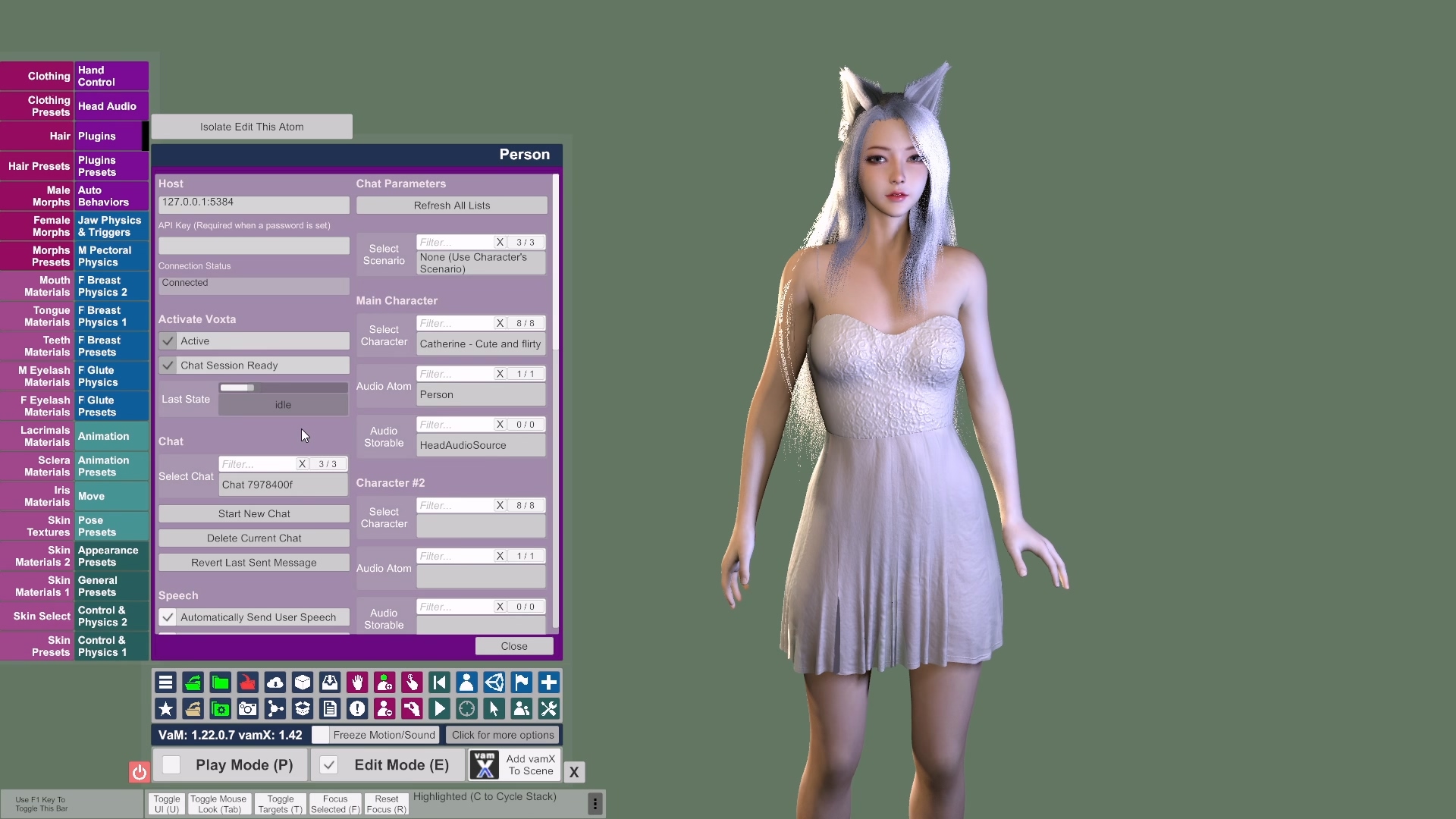
Configuring the Person atom in VAM
The functionality can be extended with Action List Manager. It lets you link certain actions in the scene based on triggers and animation. Depending on the context of the conversation, your interlocutor will be able to show emotions.
Owners of a Quest 3 or another headset with MR should definitely try bringing the model into a real room through Passthrough. You will need Virtual Desktop for streaming and the Camera Background Color plugin. Having set the right background colour (blue or green), you will be able to see your virtual interlocutor on your own sofa.
VAM is very demanding on graphics card resources. And if you run it in VR mode, it consumes resources like Cyberpunk 2077 on maximum settings!
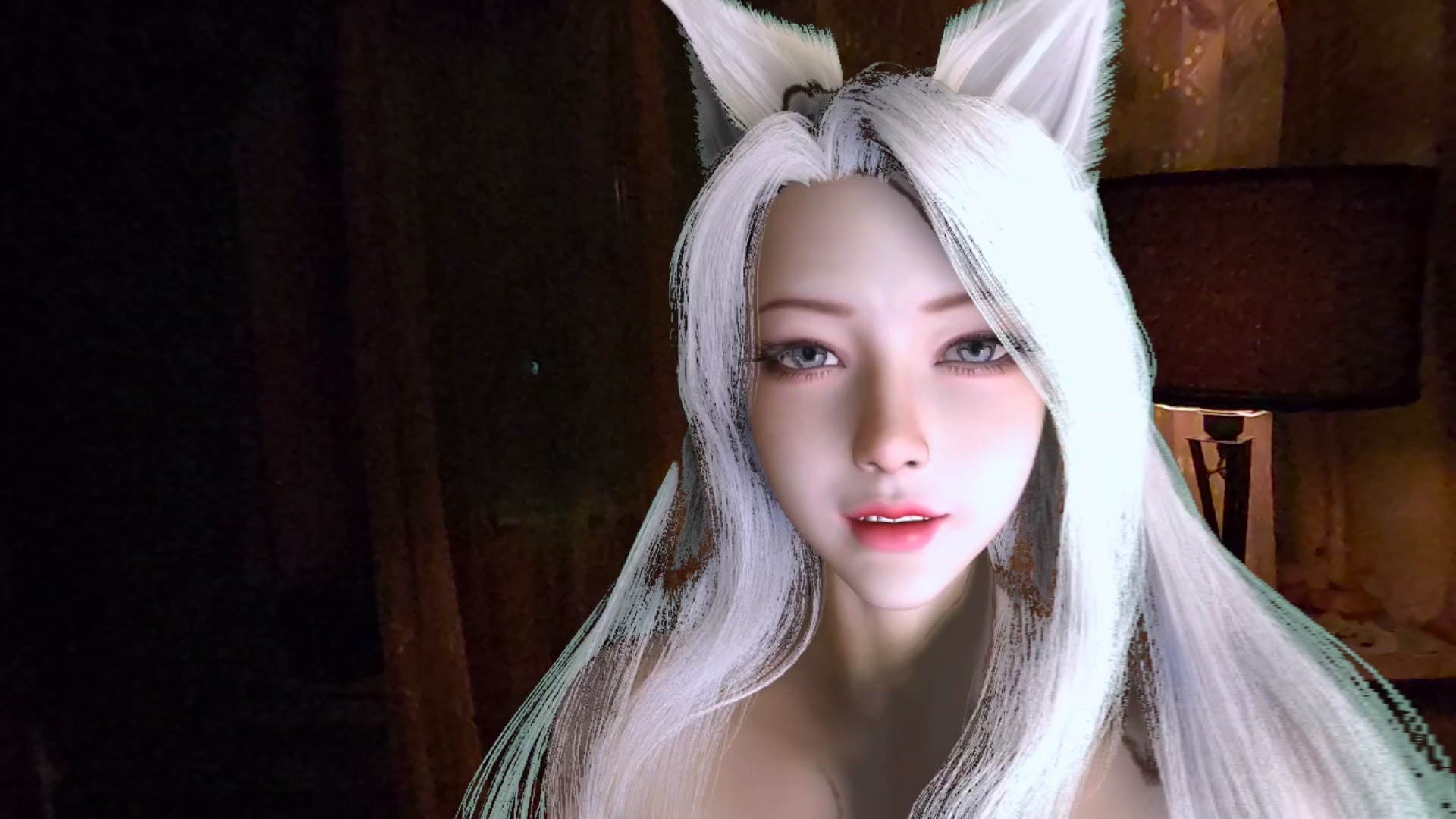
Mixed Reality, ladies and gentlemen
An RTX 3060 here barely renders interactive strands on medium-low settings. If you want comfortable work in VR, you will have to use cloud APIs after all, or rent a GPU. Or save up from your breakfasts for at least an RTX 3090. Or better, for as much as that guy on Reddit has.

SillyTavern + VAM
The principle of operation is the same, but for full integration you will have to tinker more with configuring the components. First, speech synchronisation. For the character in VAM to move its lips in time with the TTS from the browser, you need to set up audio routing through Virtual Audio Cable. After installation we select VAC as the output device for the browser with SillyTavern, and in VAM, for the Person atom, in the Head Audio settings we point to the same VAC as the sound source. Now the character will automatically synchronise the movements of its lips with the speech.
For the emotional component we use the Classify module in SillyTavern. It analyses the character’s answers and determines emotions. You need to write a script that will read those emotions and pass them to the corresponding morphs in VAM. For example, “joy” activates the smile morph, “sadness” lowers the corners of the mouth and the eyebrows. In the end we get a character that not only holds a dialogue through SillyTavern but also expresses emotions naturally through facial expressions and synchronises lip movements with the generated speech.
In lieu of conclusions
In the end, technology is just a tool that can help us grow closer to one another. And it does not matter whether you meet love in a bar, on a dating site or in virtual reality – the main thing is to stay human. Although if your waifu has learned to order syrniki for delivery, that is already a serious bid for a relationship!
By the way, out of all the components we have got to know, you can assemble not only a virtual waifu but also quite serious business solutions. Here, for example, is the story of how I defended my thesis with distinction using the same approaches. True, reading about a corporate assistant that helps with document flow will not be as much fun. And the headline will turn out less clickable.
If for some reason you have become interested in reading more often about my experience and this cyberpunk that has arrived with a little bit of lifestyle, I invite you to my Telegram channel. The posts there are under 35 thousand characters, haha. Let us see where it all leads: to a dystopia or to Star Trek.
If you have spotted inaccuracies or have your own experience of creating virtual companions, feel free to share it in the comments! It is interesting to hear the stories of those who have already tried something like this.
Love to everyone ♥